
Custom ticket fields: get the details on the first message
A lot of support back-and-forth is asking for what the customer forgot to say. Custom fields put those questions on the form, so the device, the order number and the product arrive with the ticket.
How custom fields cut the back-and-forth
The first reply becomes an answer instead of a question. A ticket that arrives with the product, version and order number can be solved in one go, with no second message asking for them.
It also does the sorting for you. A rule can route on a field, so a mobile app question reaches the app team without anyone triaging it.
Related features
The custom field types you can add
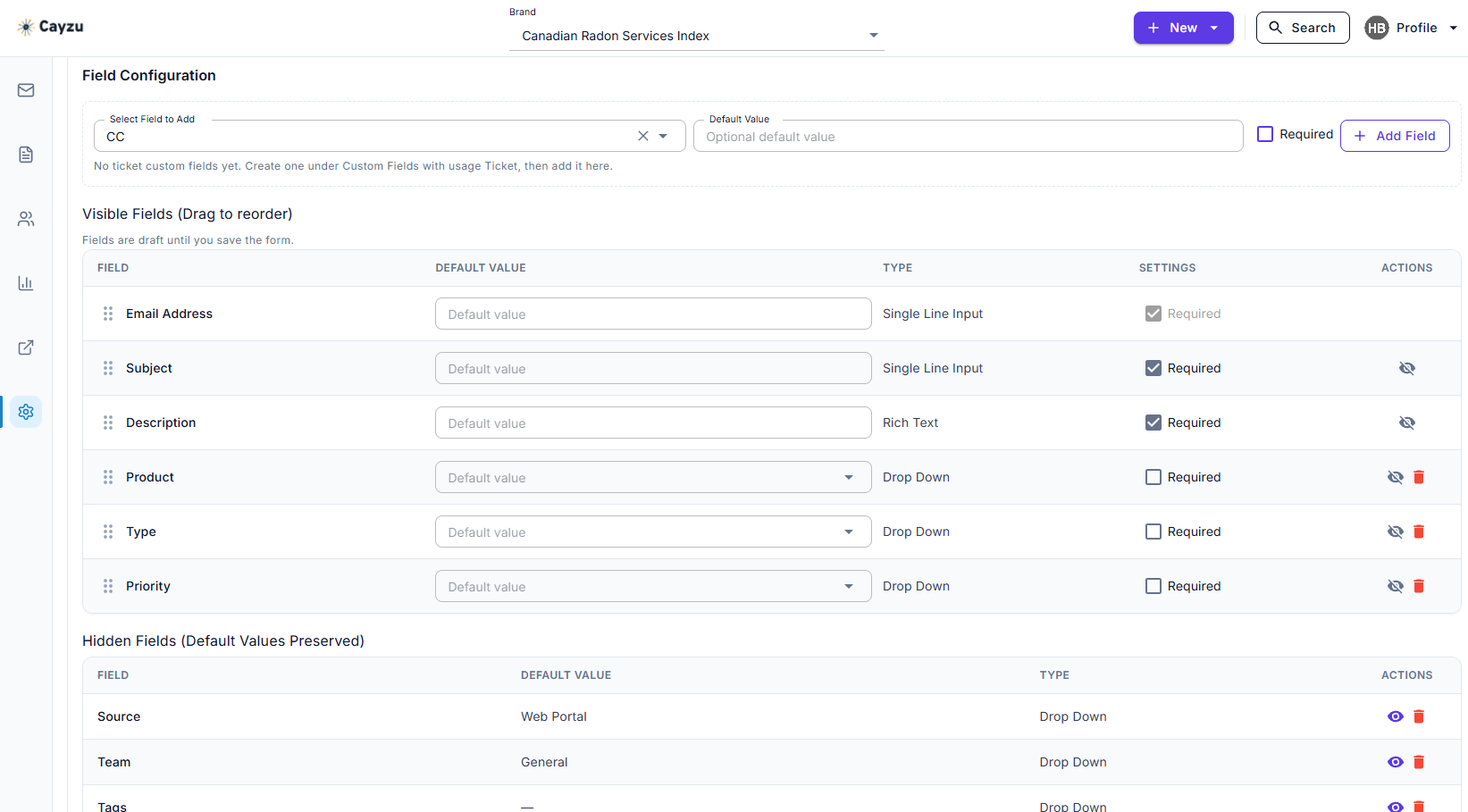
Five types cover nearly everything: single-line text for an order number, paragraph text for "describe the problem", number for a quantity, checkbox for a yes or no, and dropdown for a fixed list like product or region. Any field can be required, so the ticket can't be sent without it, or optional, and any field can be shown or hidden.
See it with your own tickets.
Every feature for 15 days. No credit card. No contract.
Setting up custom ticket fields
- Read the last twenty tickets and note what you had to ask for. Those are your fields.
- Add them to the form, mark the ones you can't work without as required, and keep the form to five or six questions.
- Write a rule on the dropdown that matters most.
Which plan has custom fields, and their limits
Custom fields and multiple ticket forms are on Pro and Enterprise. Compare the plans.
Custom fields have two limits. Fields appear on the portal form and the web widget, not inside an email, so a ticket that arrives by email has empty fields until an agent fills them. And every required field is one more thing a customer must do before sending, so keep the required list short.
Related: the self-service portal, the web widget, and assignment rules.
Questions people ask
Single line text, paragraph text, number, checkbox and dropdown. Each one can be required or optional, and shown or hidden.
Yes. Multiple ticket forms are on Pro, so a bug report form can ask for the browser and a billing form can ask for the invoice number, from the same portal.
Yes. Assignment rules can route on a field's value, so the questions you ask on the form become the way you sort tickets.
Yes, in the ticket's side panel, and they can fill or change them.
Pro and Enterprise. Custom fields and multiple ticket forms are both Pro features.
Try it with your own tickets
Every feature for 15 days. No credit card. No contract.