
Help desk reports: what's past due, what's coming due, how the week went
You can feel when support is behind. You can't see by how much without the numbers. Cayzu's reports show what's past due, what's coming due and how the week went, filtered however you need.
Three questions help desk reports answer
How much work is there? The This week panel puts tickets created next to tickets resolved, and the help desk load analysis sits beside it. That's how you decide whether the queue needs another person.
What's on each agent's plate? The agent dashboard shows each agent their own tickets, what's awaiting them, what's past due and what's unassigned. Work that's sliding shows up before it turns into a complaint.
What's about to slip? The coming-due and oldest-open lists show what needs an answer next, and the SLA report shows where you missed your targets.
Related features
- Reports and dashboardsSee how managers, MSPs and owners use the dashboard and exports, from the Monday check to the board report. On Pro and Enterprise.
- Time trackingHours by client and agent, pulled from the timer on each ticket. On Pro and Enterprise.
- SLA targetsSet response and resolution targets by priority, counted in business hours only. The SLA report shows where you missed them. On Pro and Enterprise.
Report filters, exports and scheduled emails
The dashboard, the This week panel, the load analysis and the SLA report are ready-made, with filters you set. Exports filter by date, brand, status, priority, team and type, so the same export gives you the whole desk or one brand's month.
Schedule an export weekly or monthly and it's emailed when it's ready, or export any set of tickets once when the boss asks for the spreadsheet.
See it with your own tickets.
Every feature for 15 days. No credit card. No contract.
Setting up help desk reports
- There's nothing to build. Open the dashboard and see where the queue stands.
- Schedule the one or two exports you'll want every week or month.
- Pick one number, like the past-due count, and check it every morning.
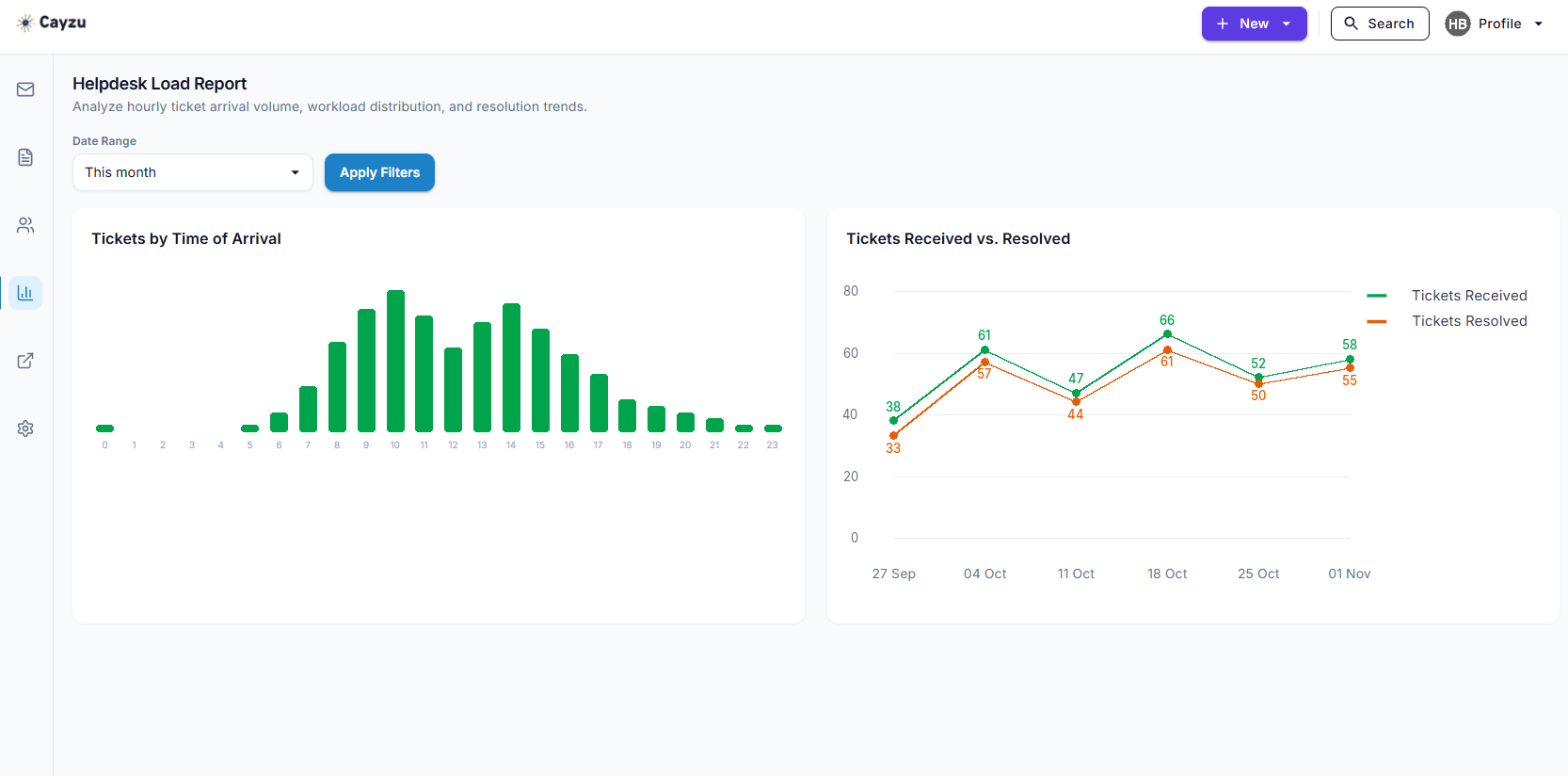
Which plan has which reports, and what they can't do
The Help Desk Load Analysis report is on every plan. The other reports and dashboards are on Pro and Enterprise. See the plans.
The reports have two limits. They're the ones we've built, filtered your way, rather than a report builder with custom charts. And they measure the help desk, not your product, so "why do people ask about billing" is a question the numbers will point to and a person will have to answer.
Related: reports and dashboards, time tracking, and service level agreements.
Questions people ask
How much work is coming in, so you can staff for it. How fast you answer, so you know if you're keeping your promise. And what's past due or coming due, so nothing slips. Cayzu covers each of those with its dashboard, load analysis and SLA report.
They're in four views. The agent dashboard shows each agent's own queue. The This week panel puts tickets created next to tickets resolved. The help desk load analysis shows when tickets arrive, and the SLA report shows where you missed your targets.
Reports have filters you set. Exports filter by date, brand, status, priority, team and type, so one brand's month is a few clicks away.
Yes. Schedule an export weekly or monthly and it's emailed when it's ready. You can also export any set of tickets once, whenever you need it.
The Help Desk Load Analysis report is on every plan. The other reports and dashboards are on Pro and Enterprise.
Try it with your own tickets
Every feature for 15 days. No credit card. No contract.