
Reports that answer the question before the boss asks it
Sooner or later someone asks how long customers wait, what's past due and what's coming due next. Cayzu's dashboard answers at a glance, and exports go out as a spreadsheet when someone wants a copy.
What the reports dashboard shows
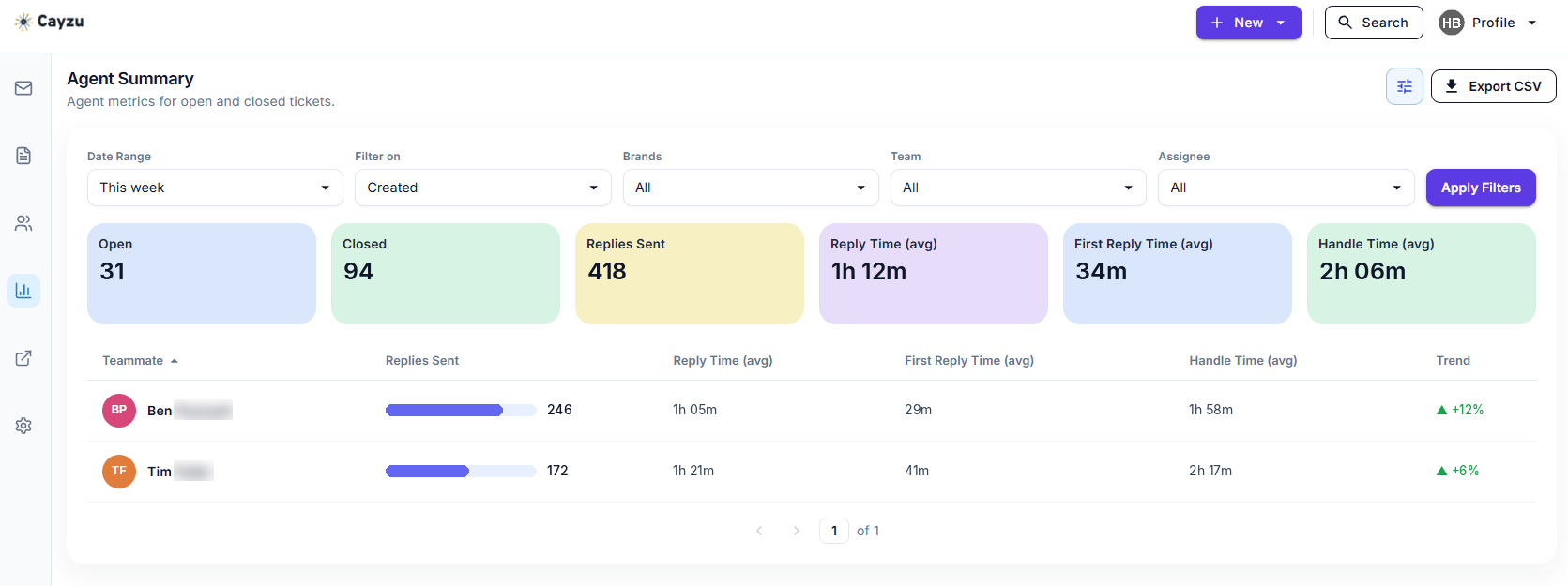
Open the dashboard and you'll see who's behind: each agent's tickets, what's past due or unassigned, and what's coming due next. The weekly numbers tell you if the team is keeping up: tickets created against tickets resolved, SLA breaches, and each agent's replies and average reply and handle times. The load analysis shows when tickets arrive, so you know when you need another person, and article analytics show which help articles people find helpful. The CSAT report shows how customers rated the help they got, from the one-click survey sent when a ticket is resolved.
Related features
- Report filters and exportsFilter any export by date, brand, status, priority, team and type, and have it emailed weekly or monthly. On Pro and Enterprise.
- Multiple brandsRun several brands from one queue, then filter reports by brand to see each one on its own. On Enterprise.
- CSAT surveysA one-click survey goes out when a ticket is resolved, and the CSAT report shows the scores by agent, group and month. On Pro and Enterprise.
How teams use help desk reports
A manager checks the dashboard on Monday and moves an agent onto the past-due tickets. An MSP schedules a monthly export and pastes it into the client review. A support lead sees which articles get helpful votes and which don't, and fixes the ones that miss. The owner exports the quarter for the board.
See it with your own tickets.
Every feature for 15 days. No credit card. No contract.
Setting up SLA targets and scheduled exports
Reports fill themselves from the first ticket. Set SLA targets if you want the SLA report, and schedule an export if you want one in your inbox.
Which plan has reports and dashboards, and one limit
The Help Desk Load Analysis report is on every plan. The other reports and dashboards are on Pro and Enterprise, and so are SLAs, which feed the SLA report. See the plans.
Reports have one limit: they cover the help desk, not your website or sales pipeline. The detail on each report is on intuitive help desk reports.
Questions people ask
The agent dashboard has Mine, Awaiting me, First response, Past due, Unassigned, Unsolved and Coming due tiles. A This week panel shows tickets created against resolved, the tickets you resolved and SLA breaches. There's also a help desk load analysis, an SLA report, and coming-due and oldest-open lists.
Yes. Exports filter by date, brand, status, priority, team and type, so a multi-brand store pulls one store's month.
Yes. Schedule an export weekly or monthly and it's emailed when it's ready.
Yes. Export any set of tickets to a spreadsheet, for the board, the client review or the auditor.
The Help Desk Load Analysis report is on every plan. The other reports and dashboards are on Pro and Enterprise.
Try it with your own tickets
Every feature for 15 days. No credit card. No contract.