
Round robin: every new ticket gets an owner the second it arrives
Unassigned tickets wait, and the busiest agent somehow ends up with the most of them. Round robin hands each new ticket to the next available agent in the group, in turn, so new tickets don't sit unclaimed and the work stays even.
What round robin fixes in your queue
Round robin fixes three things. Tickets stop waiting for someone to claim them. The spread of work evens out, because the rotation doesn't play favorites or let anyone cherry-pick the easy ones. And the manager stops spending the first hour of the day dealing tickets out like cards.
It also helps with fairness. On a team where people pick their own tickets, the fast typers can take the quick wins and leave the hard ones to the thorough people.
Related features
- Assignment rulesRules choose the group by what the ticket says; round robin chooses the person inside it.
- Agent groupsRound robin runs per group, so billing rotates among billing agents and tech among tech.
- SLAsSet a first-response target, and a ticket that has an owner from the start is more likely to meet it. On Pro and Enterprise.
How the rotation works
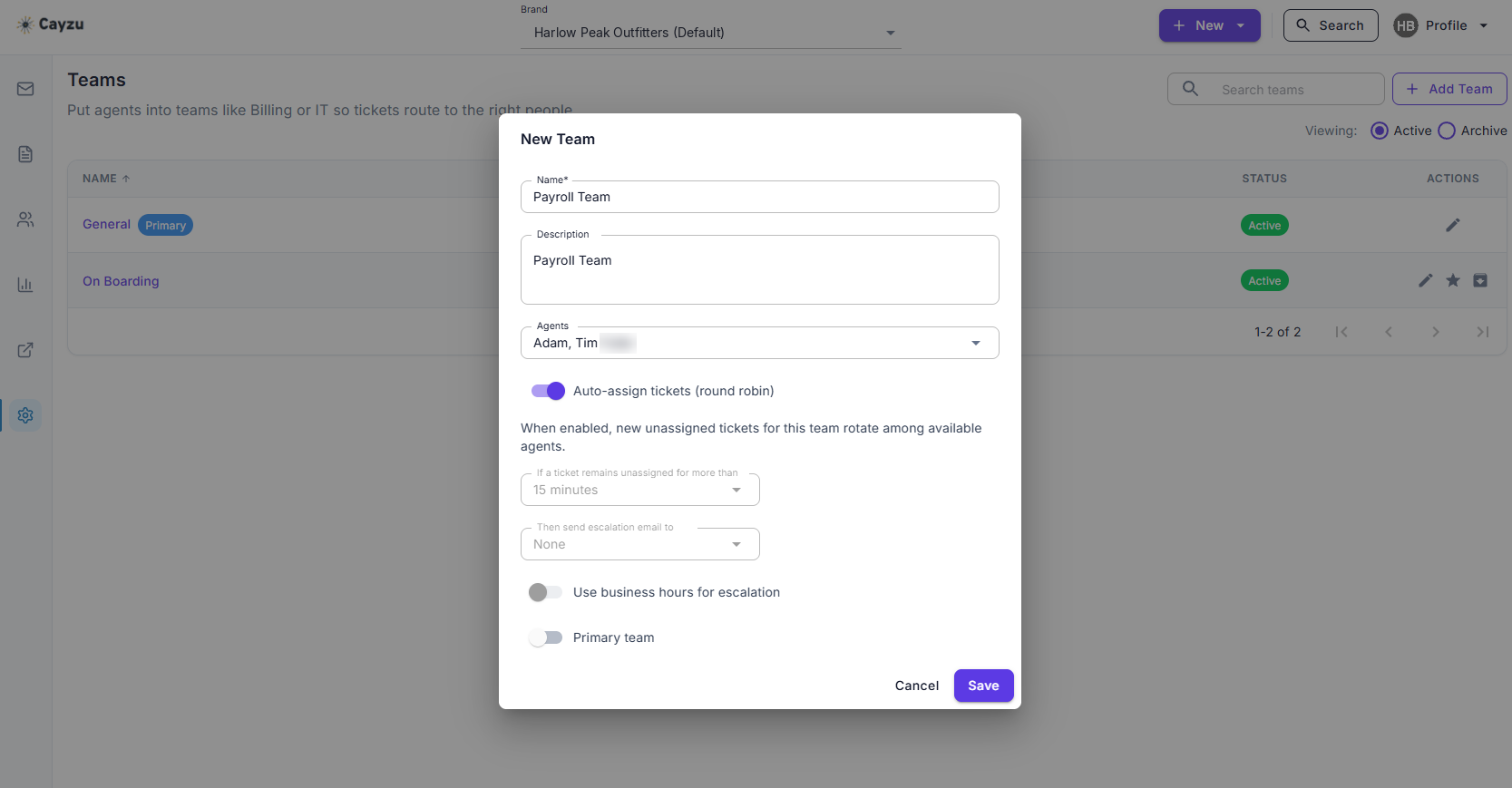
Round robin is set per group. When a ticket lands in a group with it switched on, Cayzu gives it to the next agent in that group's list, then moves the pointer. Agents marked unavailable, on leave, sick or heads-down on a project, are skipped until they're back. Nothing else changes: the agent gets the usual notification, the ticket shows their name in the queue, and they reply as normal.
Pair it with assignment rules. The rule reads the ticket and sends it to the right group; round robin picks the person. Together they give every ticket a named owner within seconds of arriving.
See it with your own tickets.
Every feature for 15 days. No credit card. No contract.
Setting up round robin
- Put your agents in groups that match how you split the work.
- Turn round robin on for the groups where tickets tend to sit, usually first-line support.
- Teach the team to mark themselves unavailable, and the rotation looks after itself.
Which plan has round robin, and its limits
Round robin is an Enterprise feature. The rules it sits on are on Standard. Plans are compared on the pricing page.
Round robin has two limits. The rotation counts tickets, not effort, so a heavy ticket and a light one are each one turn. And it assigns new tickets; it won't rebalance a queue that's already lopsided, which is a quick drag-and-reassign by a manager.
Related: assignment rules, groups, SLAs, and call centers.
Questions people ask
A way of handing out new tickets in turn. Agent one gets the first ticket, agent two the next, and so on around the group, then back to the start. Nobody has to pick tickets up, and nobody gets buried.
Mark them unavailable and the rotation skips them. When they're back, they rejoin the turn without anyone editing the rule.
It hands out tickets in turn, which keeps the count even over the day. It doesn't weigh tickets by size, so a quick password reset and a long investigation count the same.
Yes. It's a setting per group. You might rotate first-line tickets and leave a specialist group to assign by hand.
Enterprise. Assignment rules, which route by content, are on Standard; the rotation on top of them is the Enterprise piece.
Try it with your own tickets
Every feature for 15 days. No credit card. No contract.