Short (about 30 words)
Cayzu is help desk software for small businesses and the teams inside bigger ones. It turns support emails, web forms and portal requests into tickets one team can track, answer and close.

Logos, screenshots and facts to use if they help. Commission and payouts are on the partner program page.
Company boilerplate, if it saves you time.
Cayzu is help desk software for small businesses and the teams inside bigger ones. It turns support emails, web forms and portal requests into tickets one team can track, answer and close.
Cayzu is help desk and ticketing software for small businesses and the teams inside bigger ones. Emails, web forms and portal requests become tickets with an owner, a status and a history, so nothing sits unanswered in someone's inbox. It adds a knowledge base, a branded portal and automation rules. Cayzu is Canadian owned and based in Windsor, Ontario.
Cayzu is help desk and ticketing software for small businesses and the teams inside bigger ones. Its customers run it with one agent or as many as 125. Support emails, web forms and portal requests become tickets with an owner, a status and a history. Teams add a branded portal and a knowledge base, so people can find answers and check on a ticket without sending an email. Rules route, tag and reply to tickets. A team can often be answering tickets the same day. Plans start at $19 per agent per month billed yearly, and each one begins with 15 days free. Cayzu Inc. started in 2013 and is Canadian owned, based in Windsor, Ontario.
Cayzu isn't built to be any of these:
Our comparison pages set Cayzu next to Zendesk, Freshdesk, Help Scout, Kayako, TeamSupport and SupportBee, with prices checked on each company's own pages.
Prices are per agent per month, in US dollars, and yearly billing costs less than monthly. Every plan starts with a 15-day trial of every feature, with no credit card and no contract. Prices change, and the pricing page always has the current ones.
| Plan | Billed yearly | Billed monthly |
|---|---|---|
| Standard | $19 | $24 |
| Pro | $39 | $49 |
| Enterprise | $65 | $79 |
Collision detection, a custom domain and the Help Desk Load Analysis report are on every plan. All the other reports, SLAs, single sign-on, custom fields and time tracking are on Pro and Enterprise.
Compare the plansMulti-brand, round robin, custom agent roles and the trusted IP allow list are on Enterprise only. The Cayzu API comes with every plan, with usage limits that rise with the plan.
See the pricingThe MCP server, which connects an AI assistant like Claude or ChatGPT, is on every plan. The usage limit is low on Standard, medium on Pro and high on Enterprise. The assistant can't delete anything.
MCP serverNew accounts are stored in Canada on AWS. Older accounts are stored in the United States. We call it data residency, not data sovereignty, because our host is a US company. Outgoing email, including ticket replies, goes through Postmark in the United States. That's why we say data is stored in Canada, not that it never leaves.
Canadian data residencySuggested answers and spam quarantine are our own code, running on our own systems. We don't send tickets to an outside AI company for those two features, and they aren't trained on customer data.
How we handle dataThe iPhone and Android apps are in private beta and aren't in the app stores yet. Until then, Cayzu works in a phone's browser.
MobileIntegrations and social channels aren't on the new Cayzu yet. They're planned for after launch.
What's changingThe rating and the company count change over time. The home page has the current numbers.
Your client types your promo code when they subscribe, or starts their free trial from your link. Either way, that's how we know they came from you. A code entered at checkout always comes first, so give them your code as well as your link. Your code takes 10% off their first payment. On monthly billing that's their first month, and on yearly billing it's their first year. It's a one-time discount, so later payments don't get it.
If you'd like a starting point for a disclosure, here are three examples. Each has a spot for your code.
Disclosure: I'm a Cayzu partner. If you subscribe through my link or with my promo code, I may earn a commission. The code, [YOUR CODE], takes 10% off your first payment.
I'm a Cayzu partner and may earn a commission if you subscribe through my link or with my code. [YOUR CODE] takes 10% off your first payment.
Before you decide, you should know I'm a Cayzu partner, so I may earn a commission if you subscribe through my link or with my promo code. The code, [YOUR CODE], takes 10% off your first payment.
These aren't legal advice, and the rules depend on where you publish.
The Cayzu logo and product screenshots are below to download. The logo files are ready to use as they are. Each screenshot is labelled with the plan it needs.

Logo for light backgrounds

Logo for dark backgrounds

One-color logo

Mark for light backgrounds

Mark for dark backgrounds
 Every plan
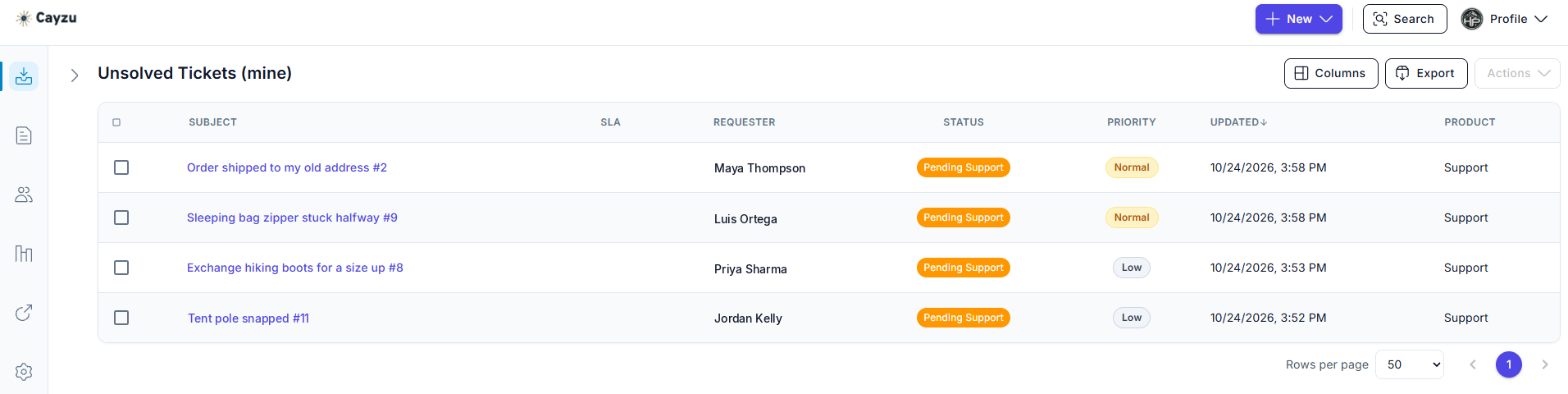
The unsolved queue: each ticket with its requester, status, priority and last update.
 Every plan
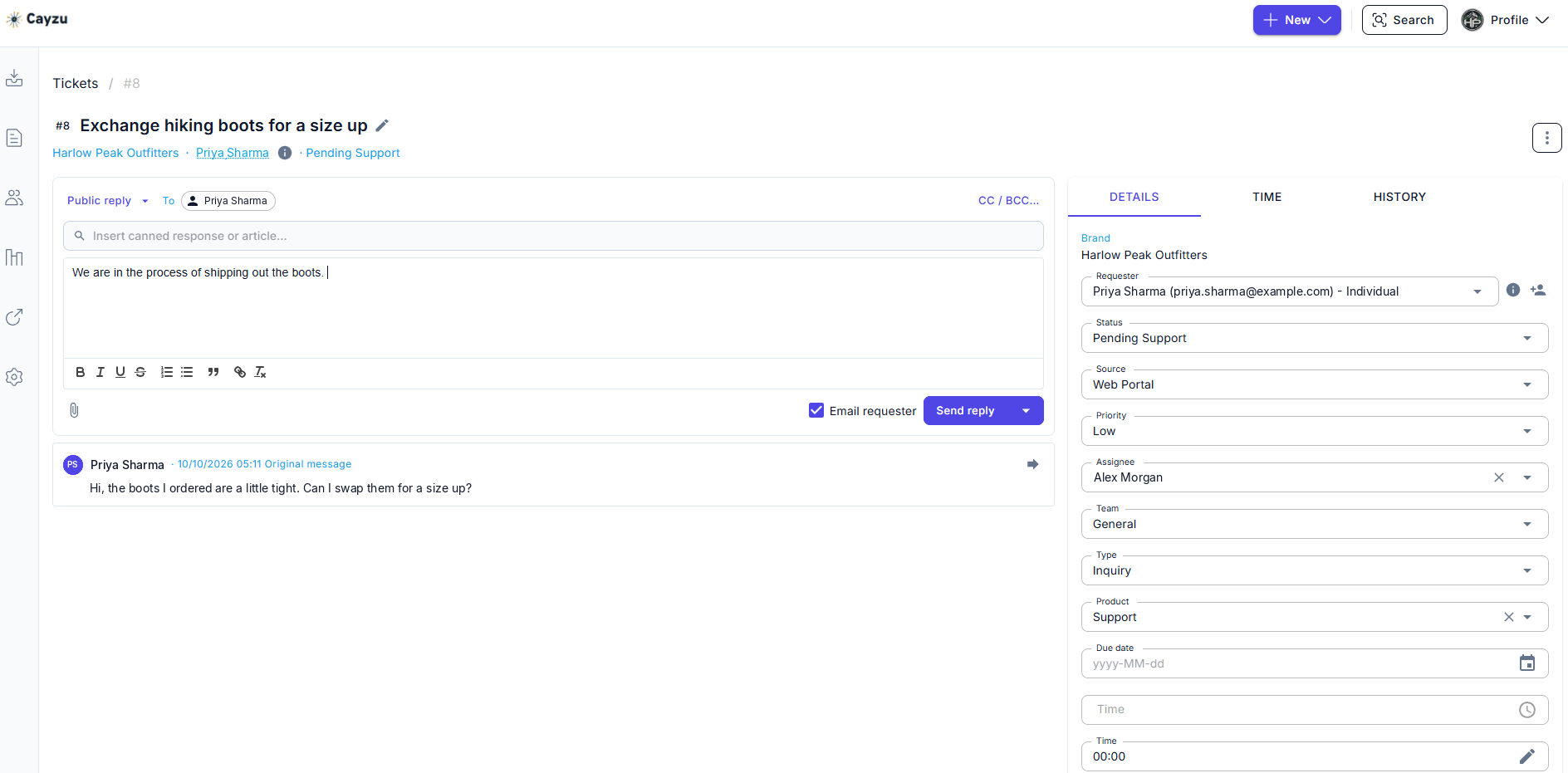
One ticket open: the customer's message, a reply on its way, and the brand, requester, status, priority and assignee beside it.
 Every plan
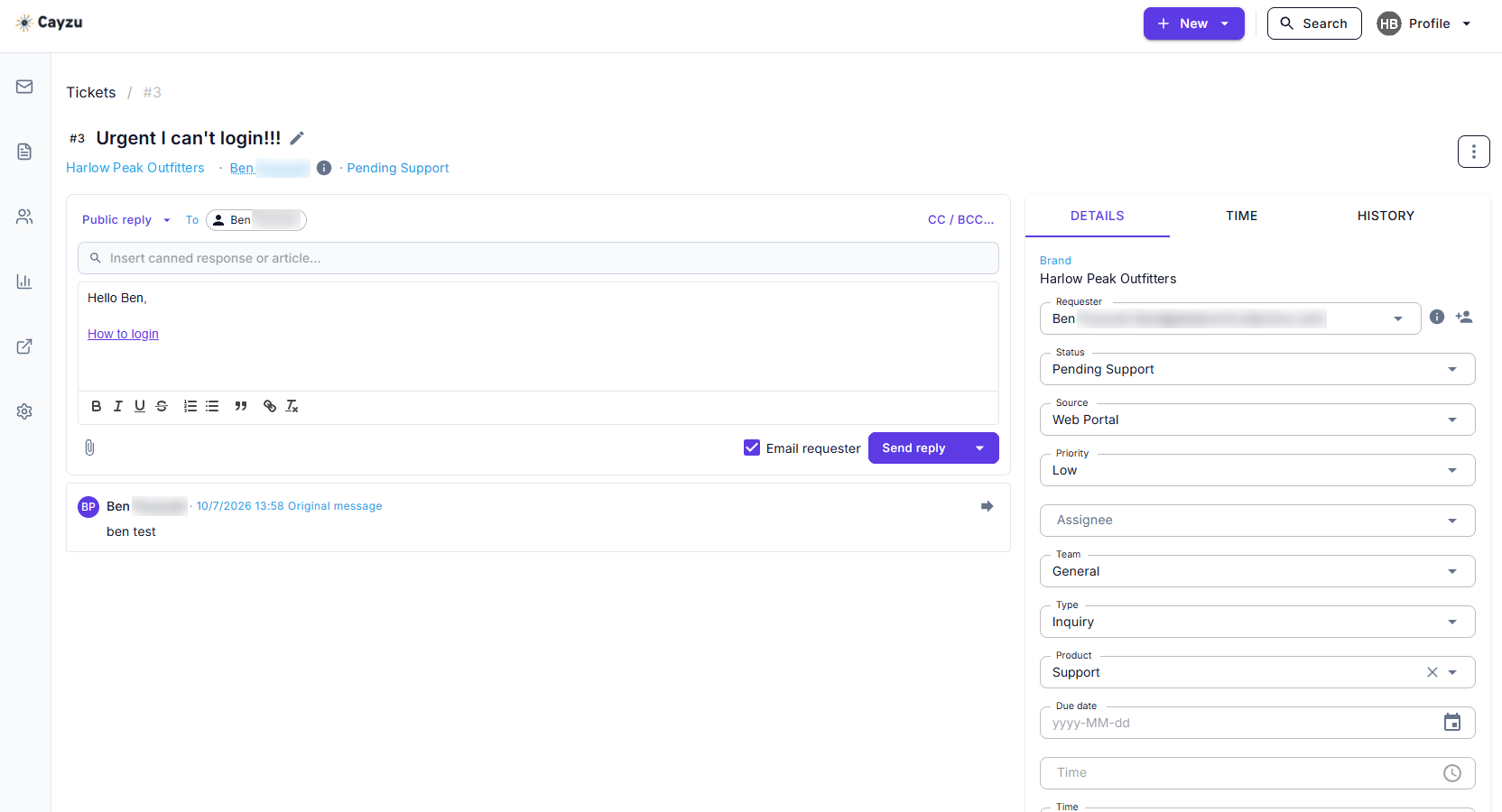
The canned response picker above the reply box: a saved answer dropped into a reply, ready to edit before it goes.
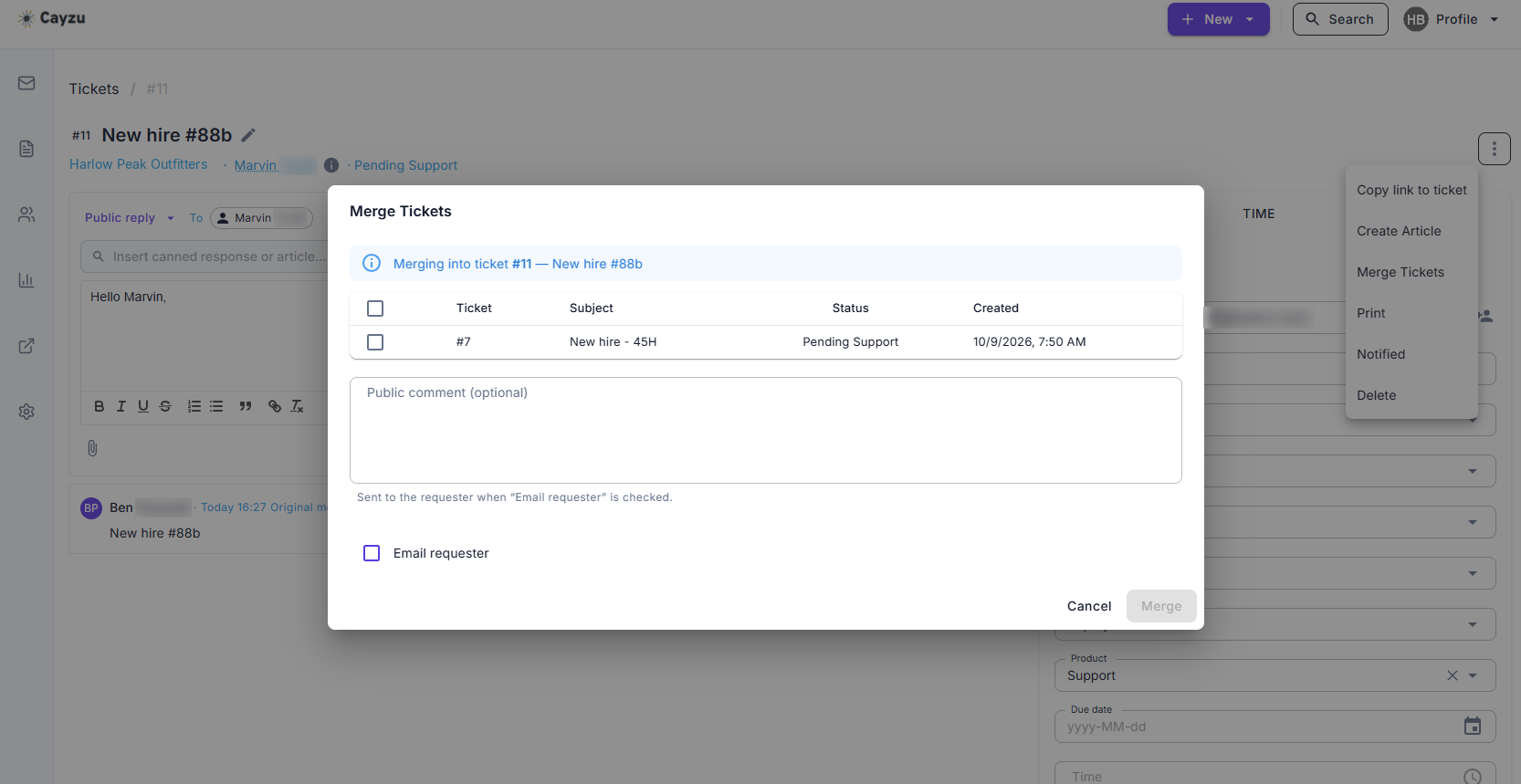 Every plan
The merge dialog, with another ticket from the same customer ready to fold into this one.
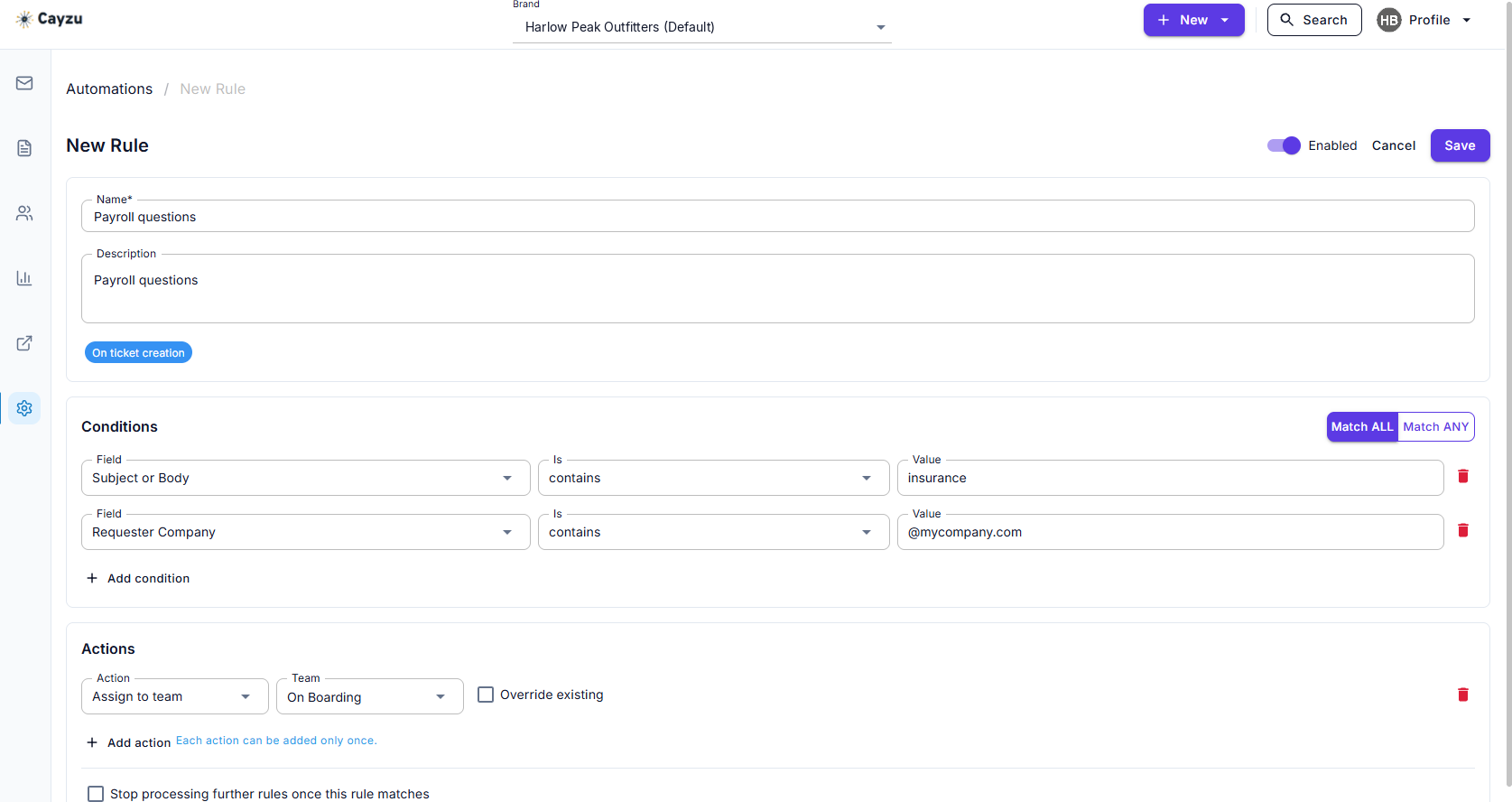 Every plan
An automation rule in edit view: two conditions, and an action that sends matching tickets to a team.
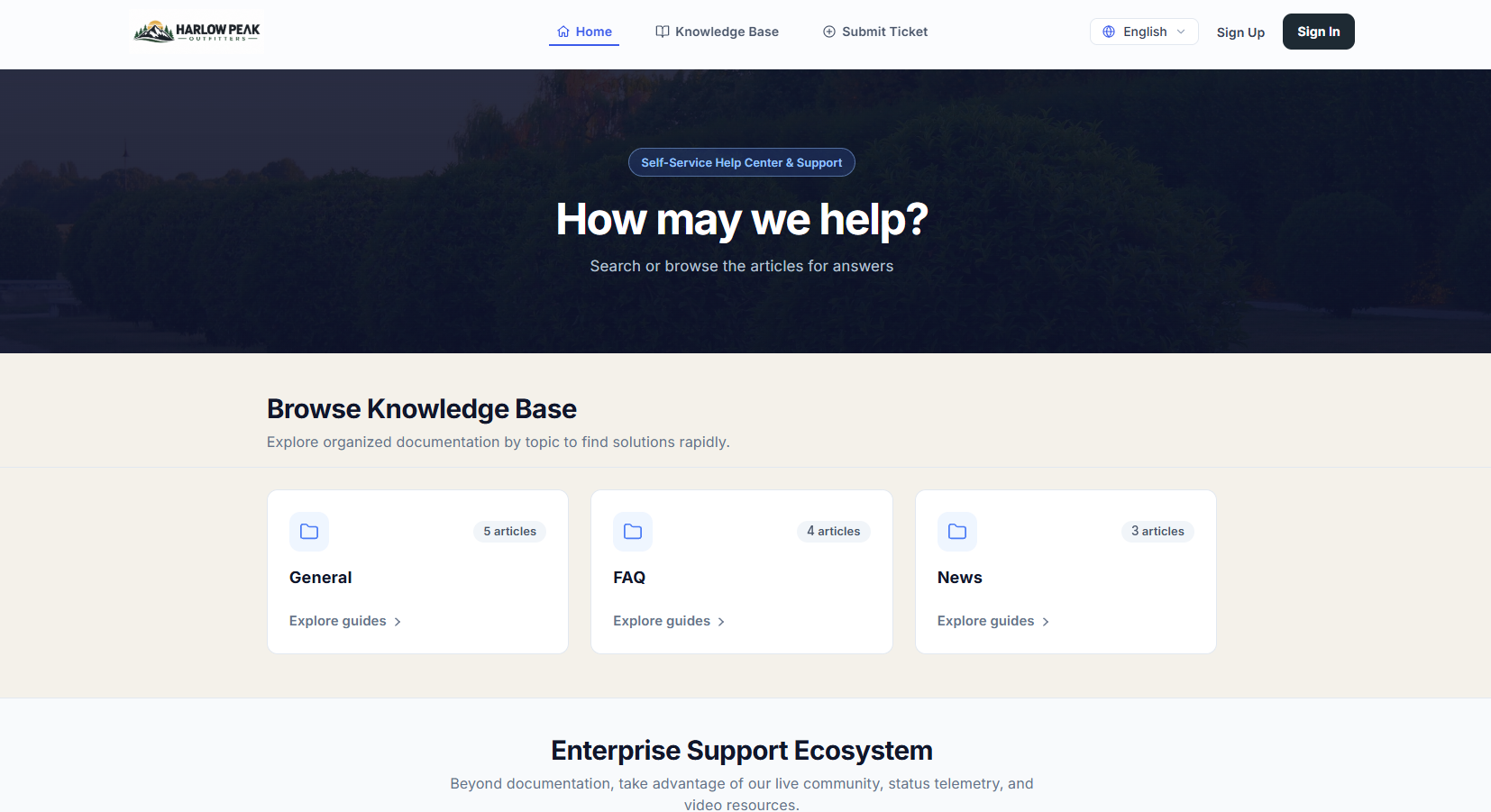 Every plan
A branded portal home as a customer sees it: the company's own logo, its article categories, and a link to submit a ticket.
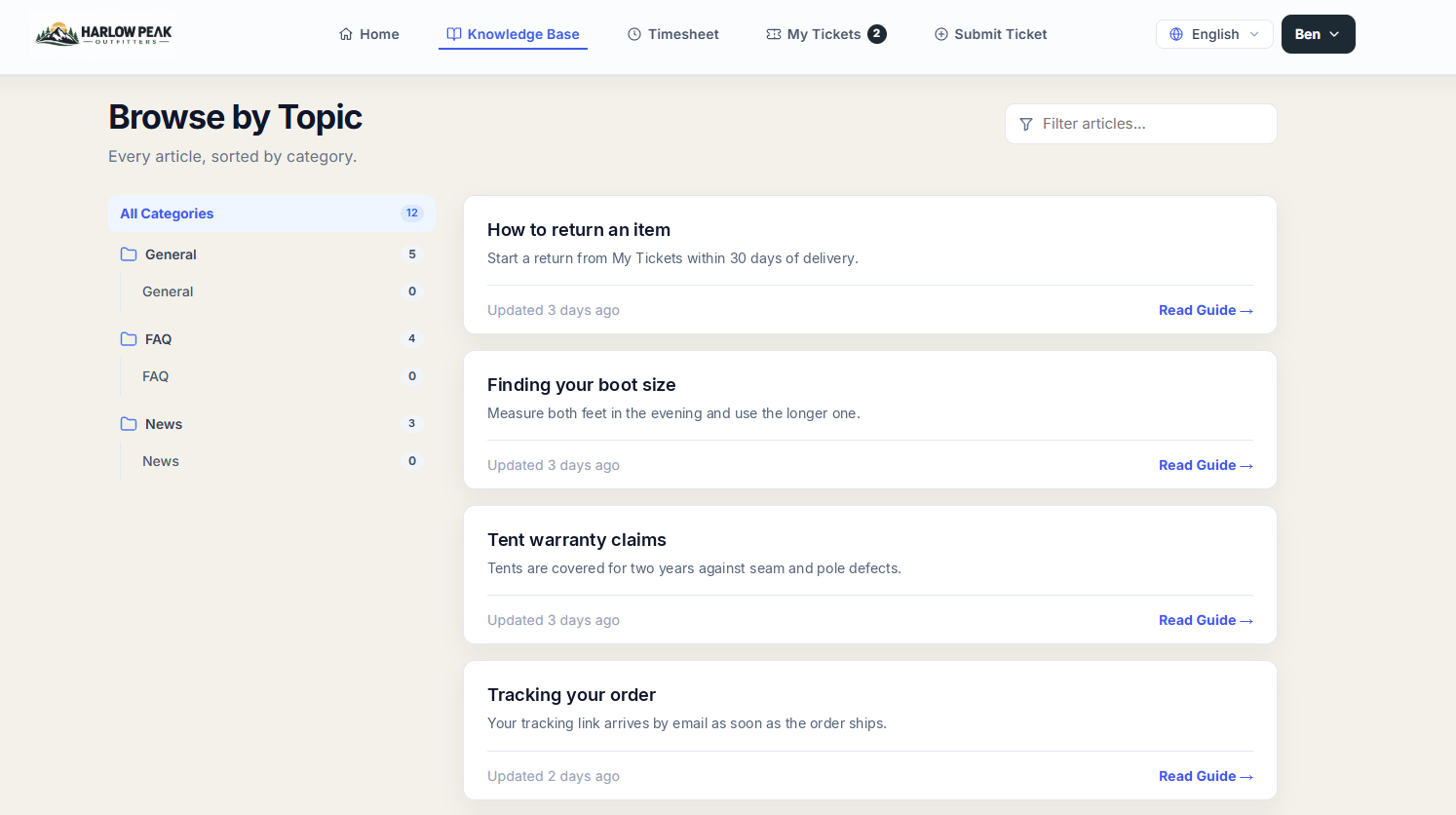 Every plan
The knowledge base in the portal: articles grouped by category, each with a one-line summary.
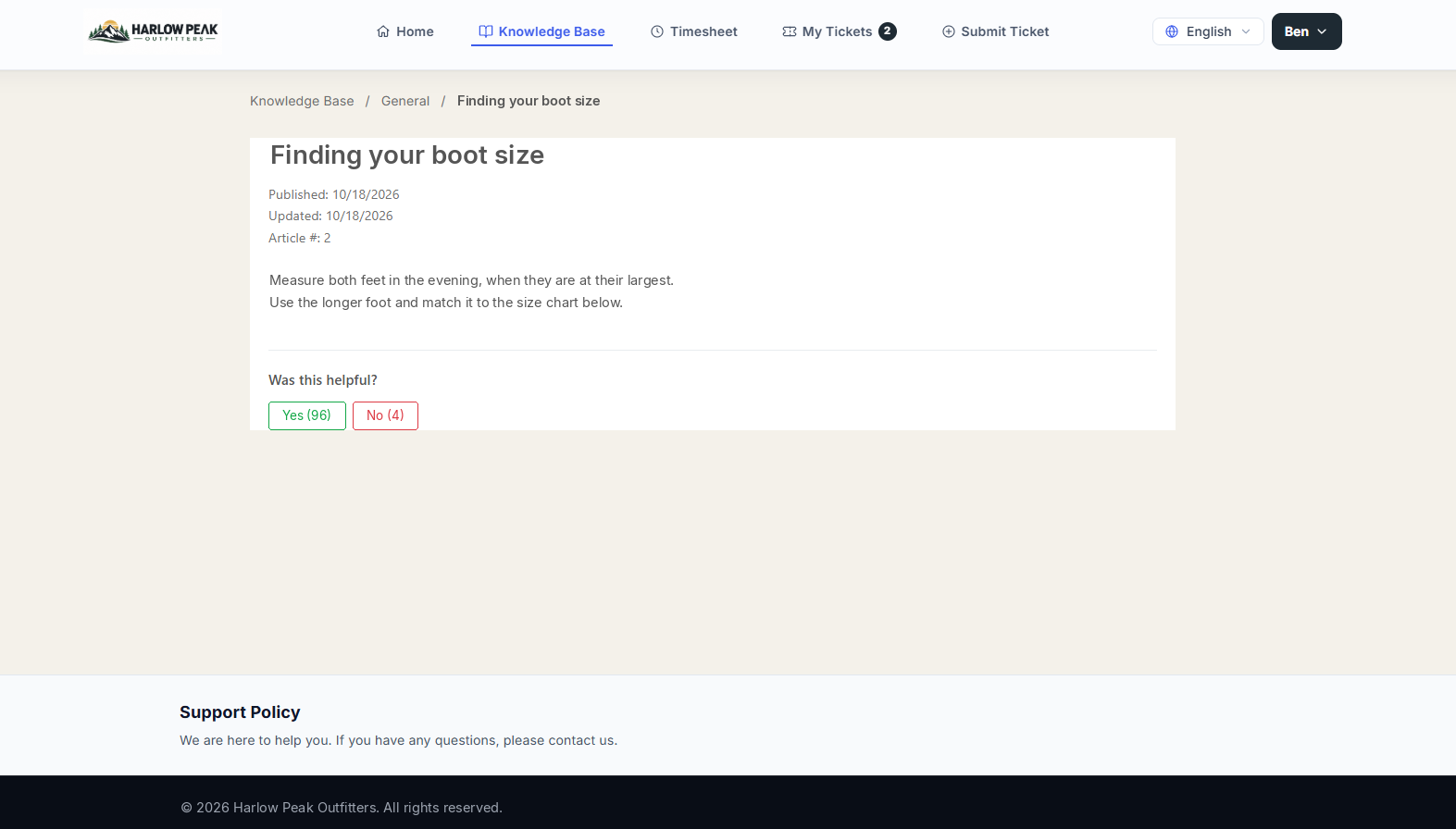 Every plan
A customer reading a help article in the branded portal, with buttons to say whether it helped.
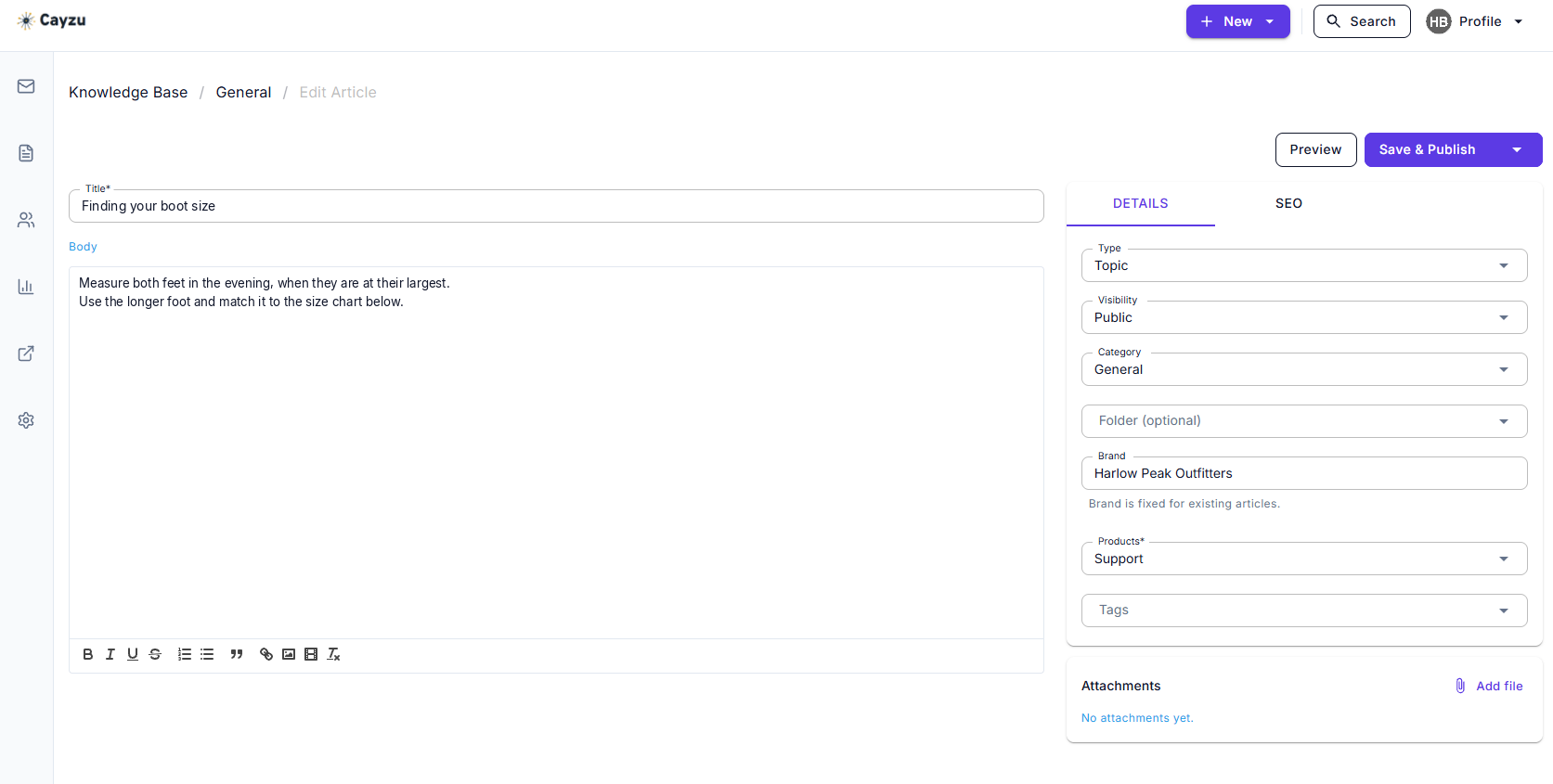 Every plan
The article editor: the same help article as an agent writes and updates it.
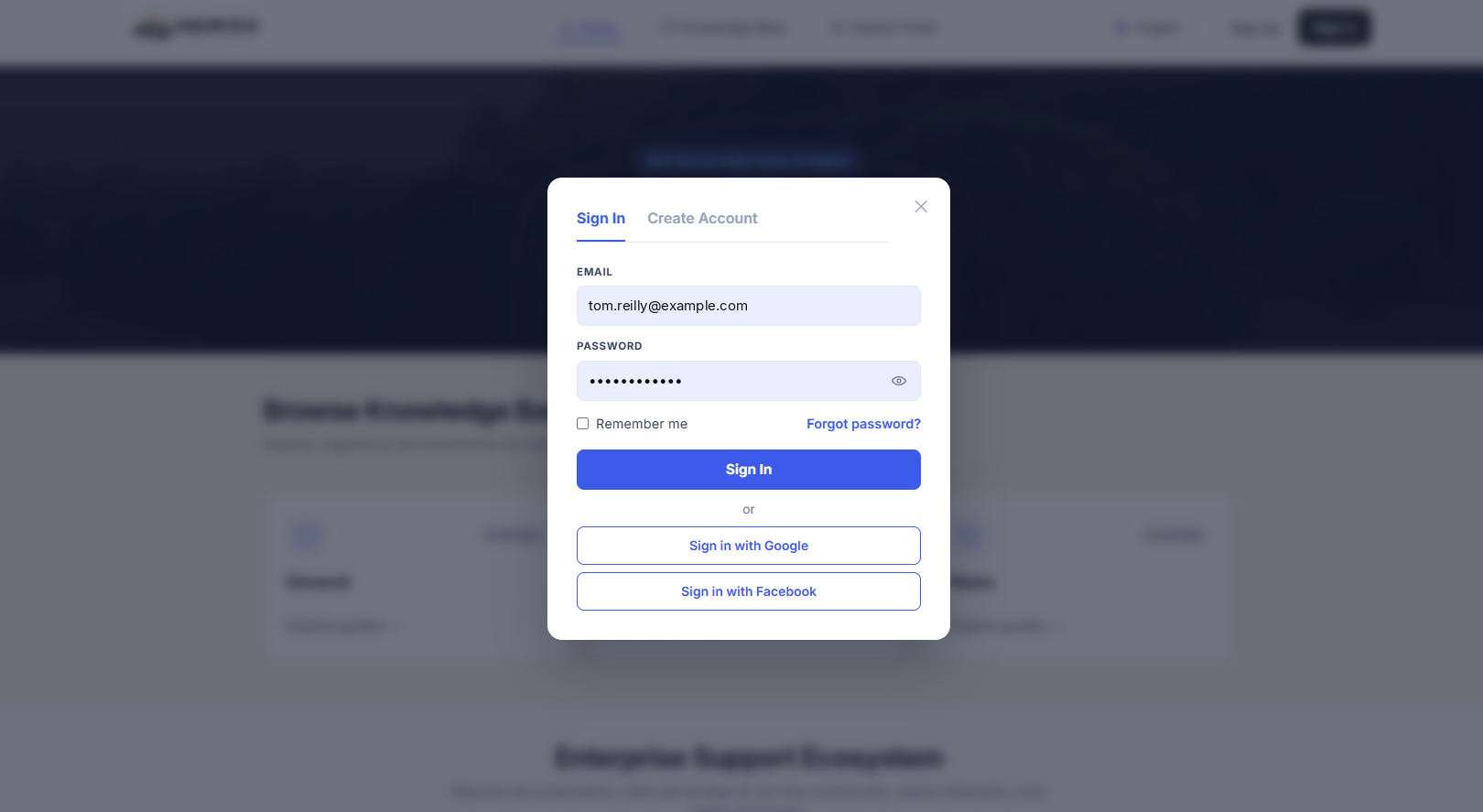 Every plan
The portal sign-in: email and password, or Google or Facebook.
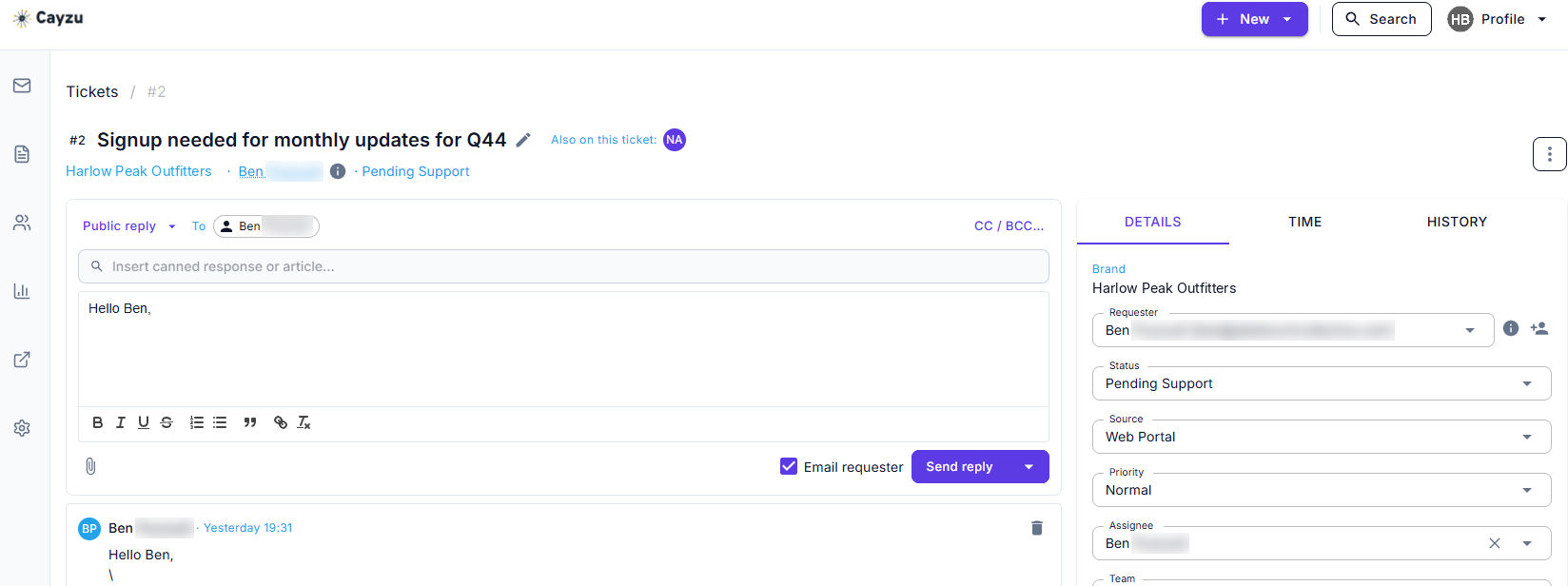 Pro
"Also on this ticket" shows that a second agent has the same ticket open.
 Pro
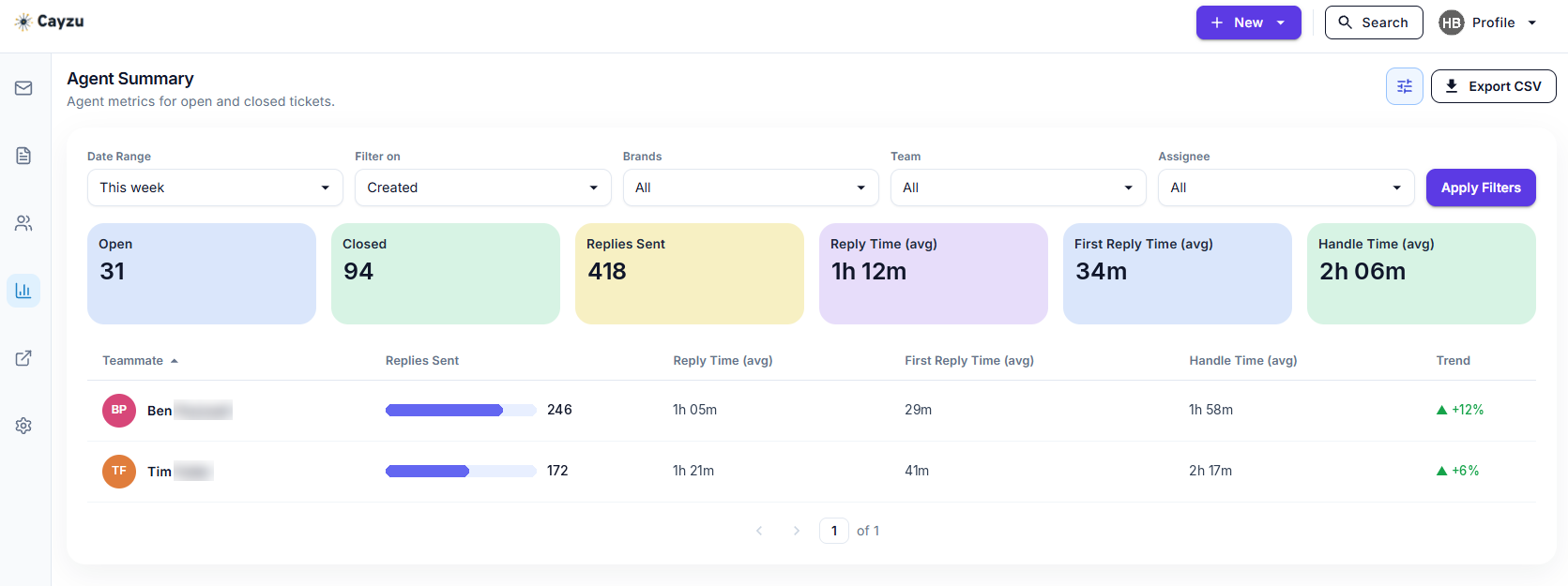
The agent summary report: open and closed tickets, replies sent, and average reply and handle times for each agent.
 Pro
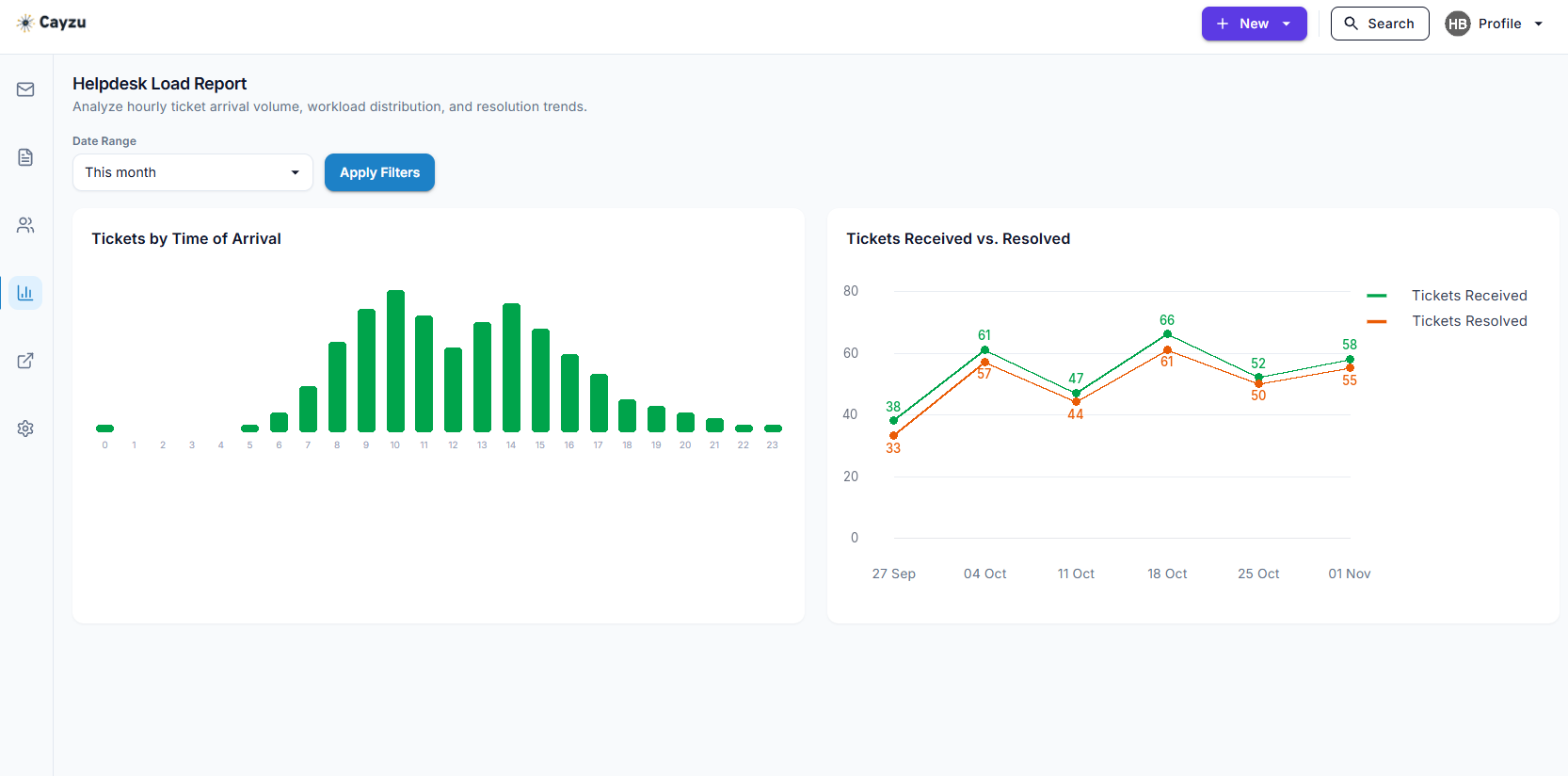
The help desk load analysis: when tickets arrive through the day, and tickets received against tickets resolved each week.
 Pro
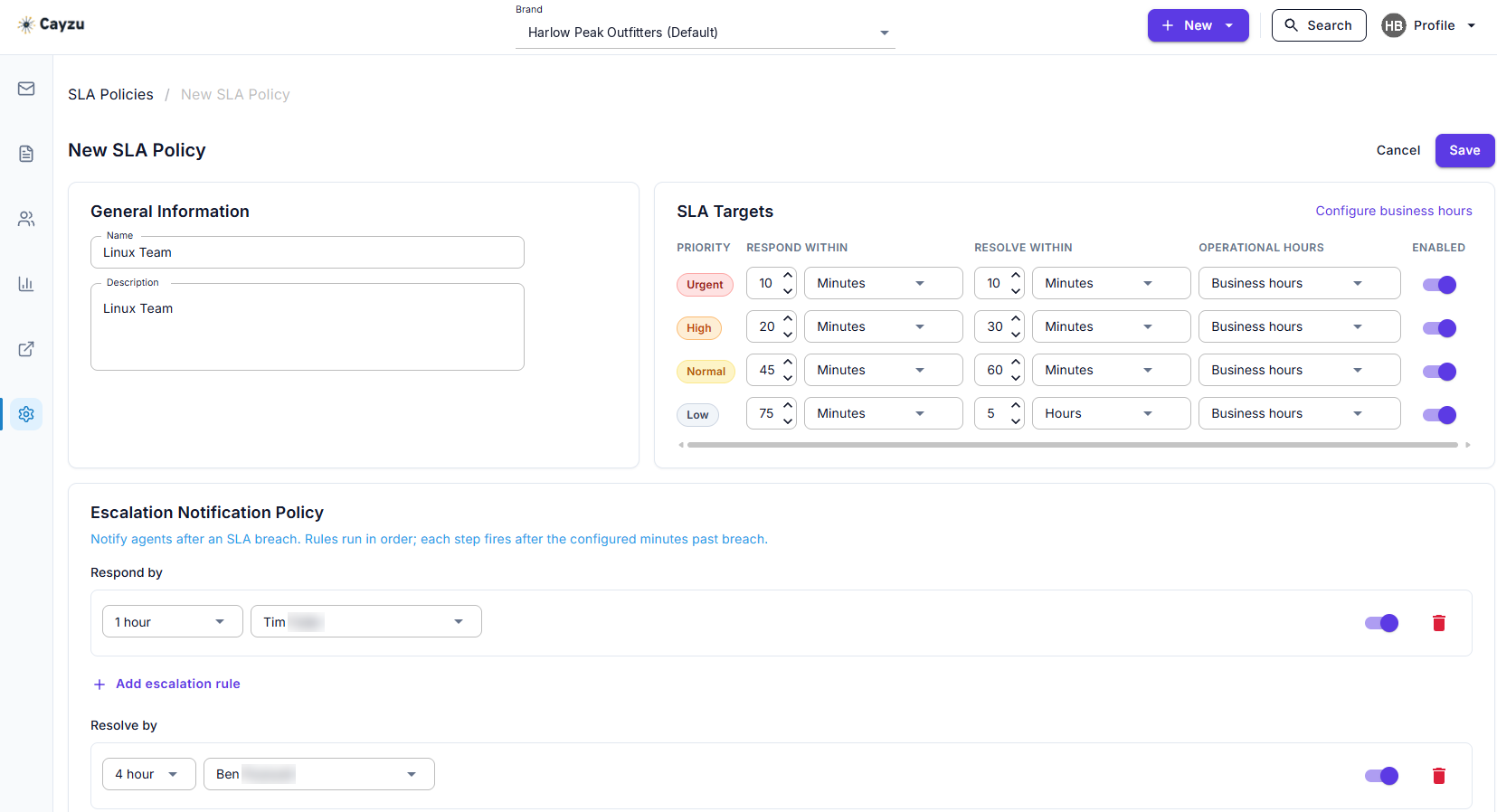
An SLA policy with respond and resolve targets for each priority, counted in business hours, plus escalation rules.
 Pro
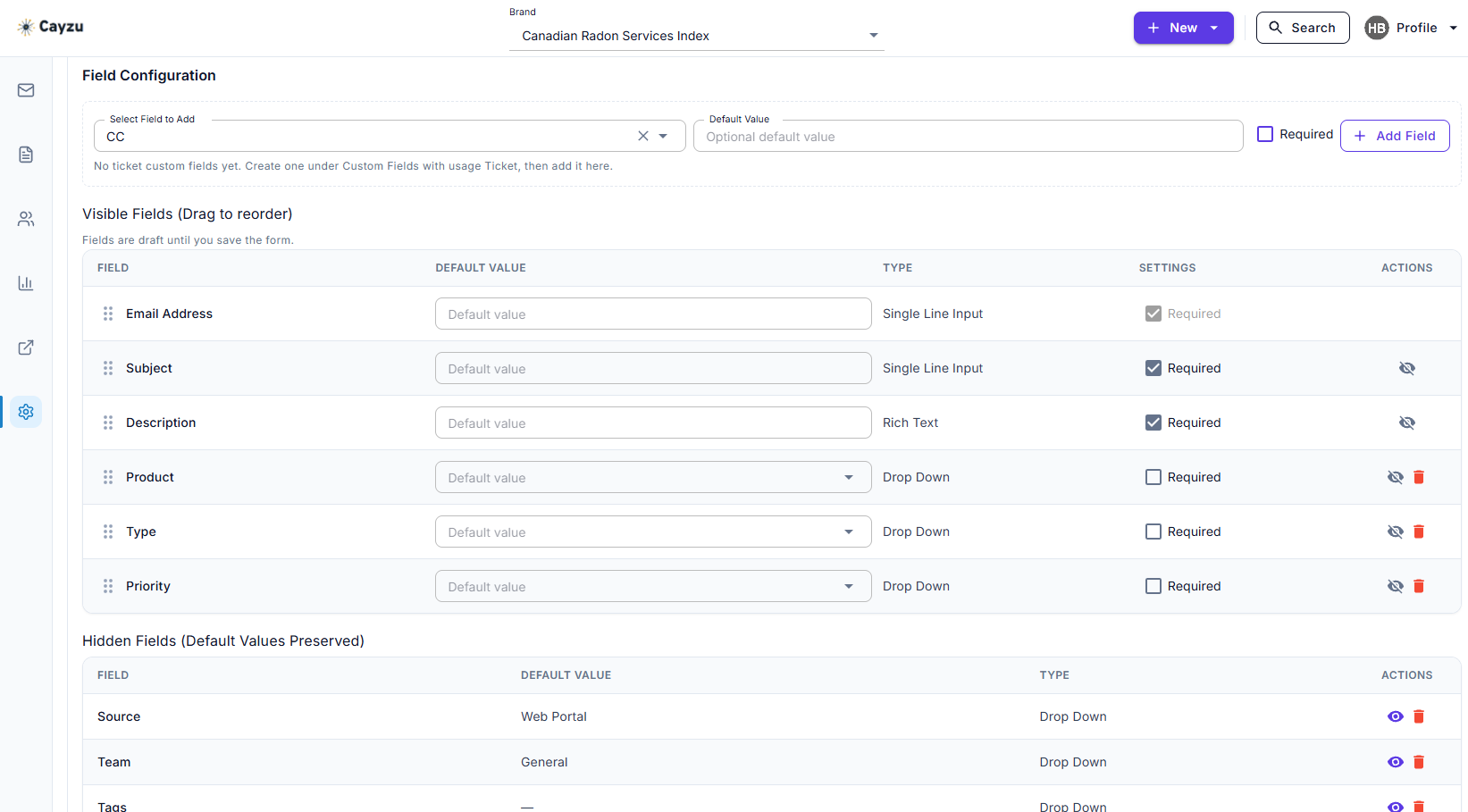
The form editor: which fields the form shows, which are hidden, and which are required.
 Pro
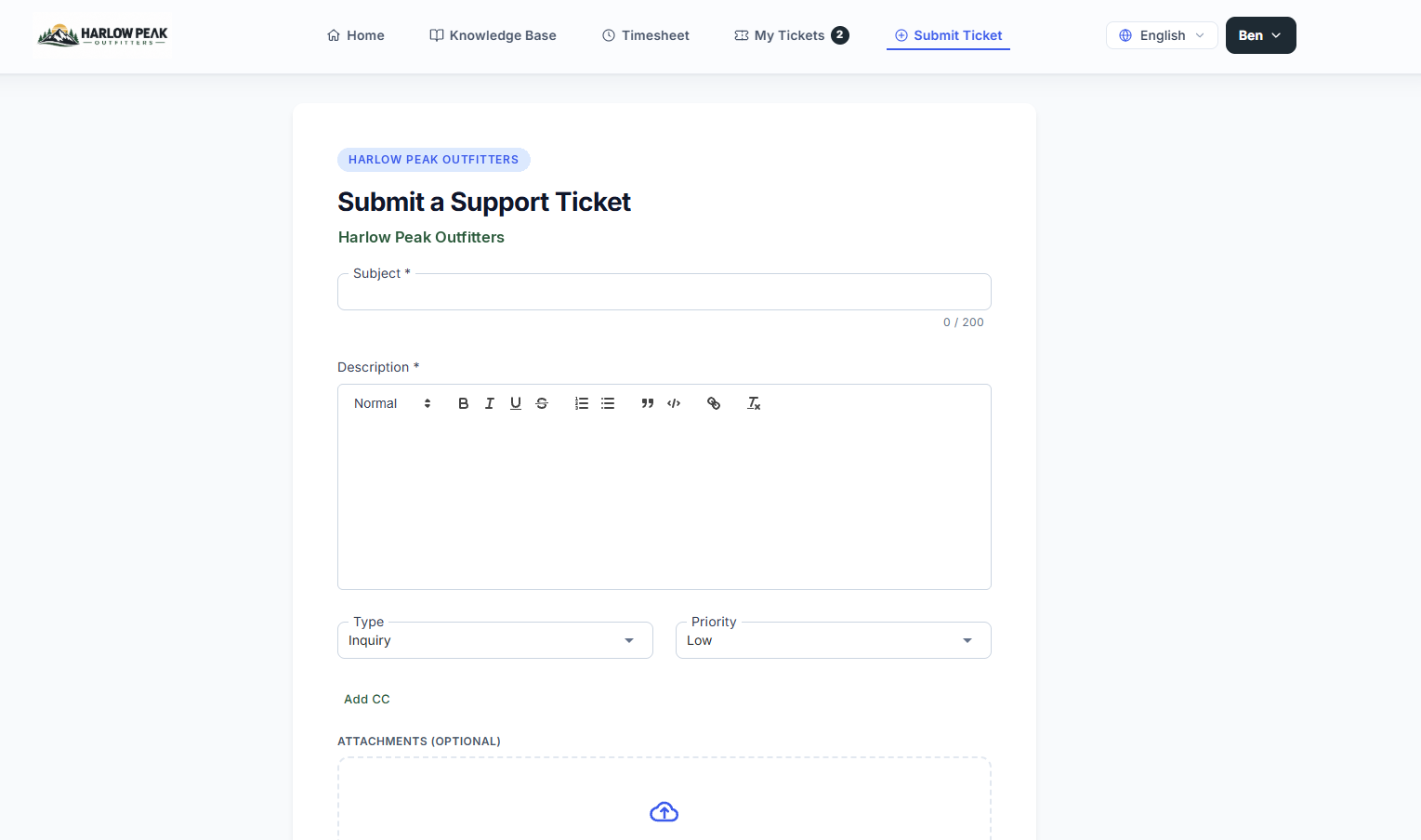
A custom ticket form on a branded portal, as the customer fills it in.
 Pro
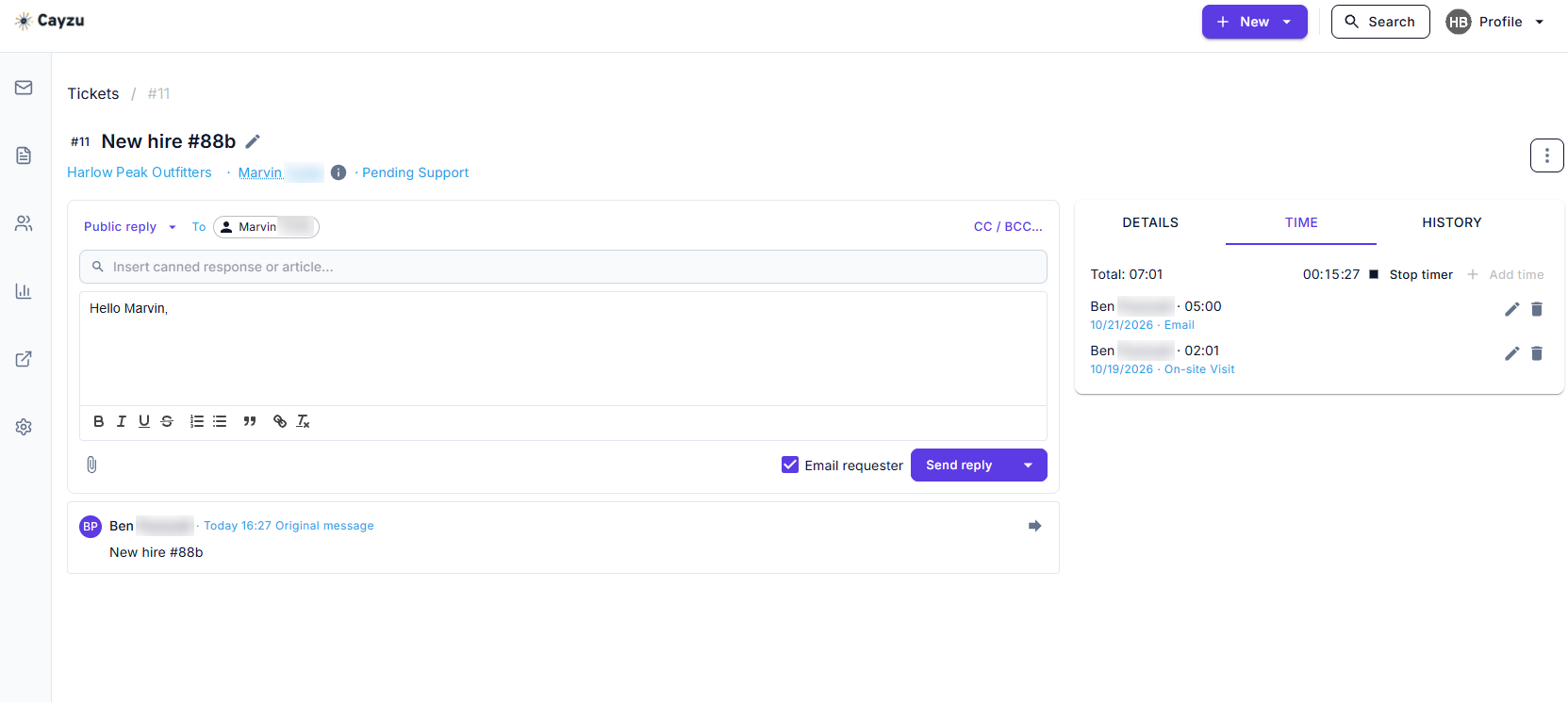
The Time tab on a ticket: a timer running and two earlier entries logged.
 Enterprise
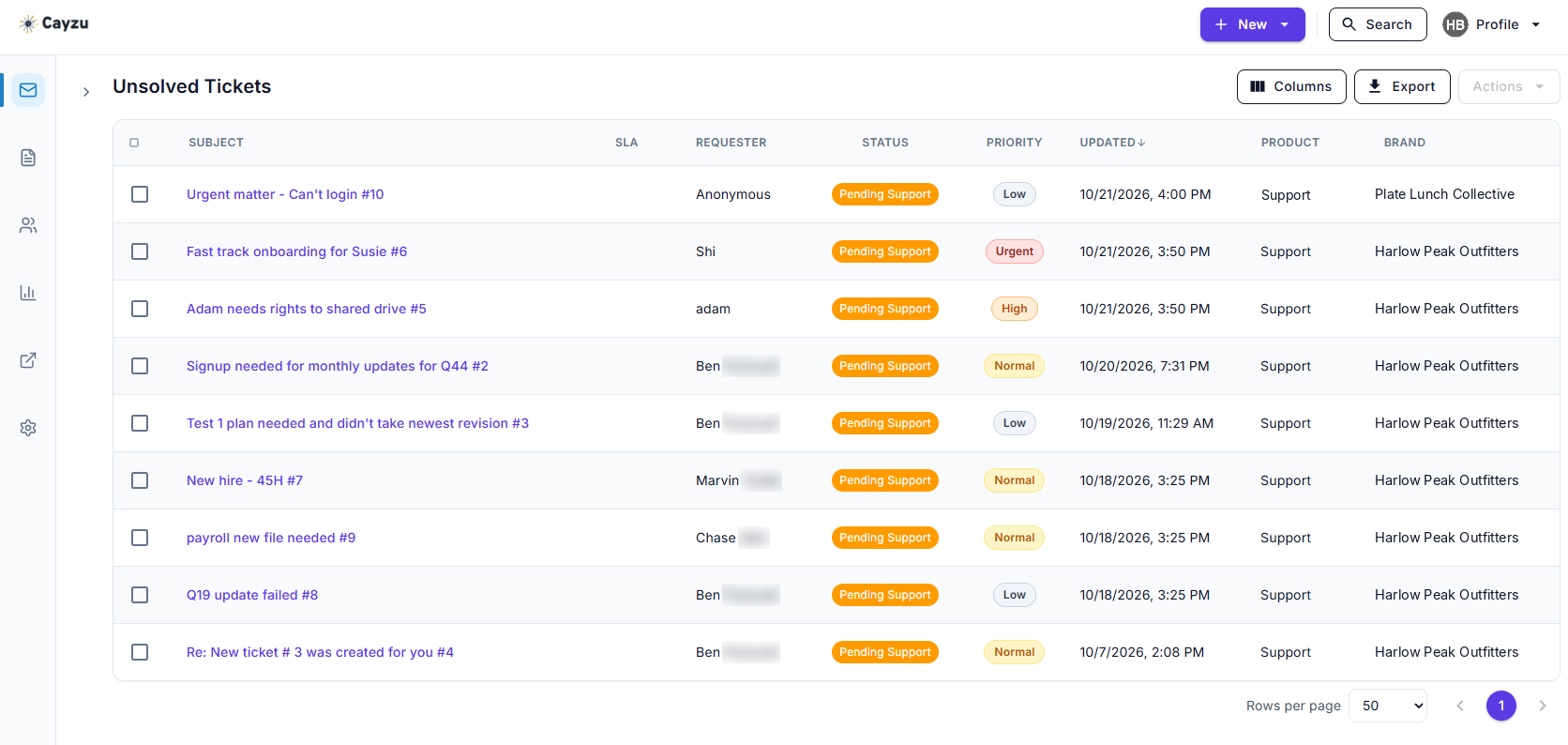
One queue holding tickets for two brands, each ticket labelled with the brand it came in through.
 Enterprise
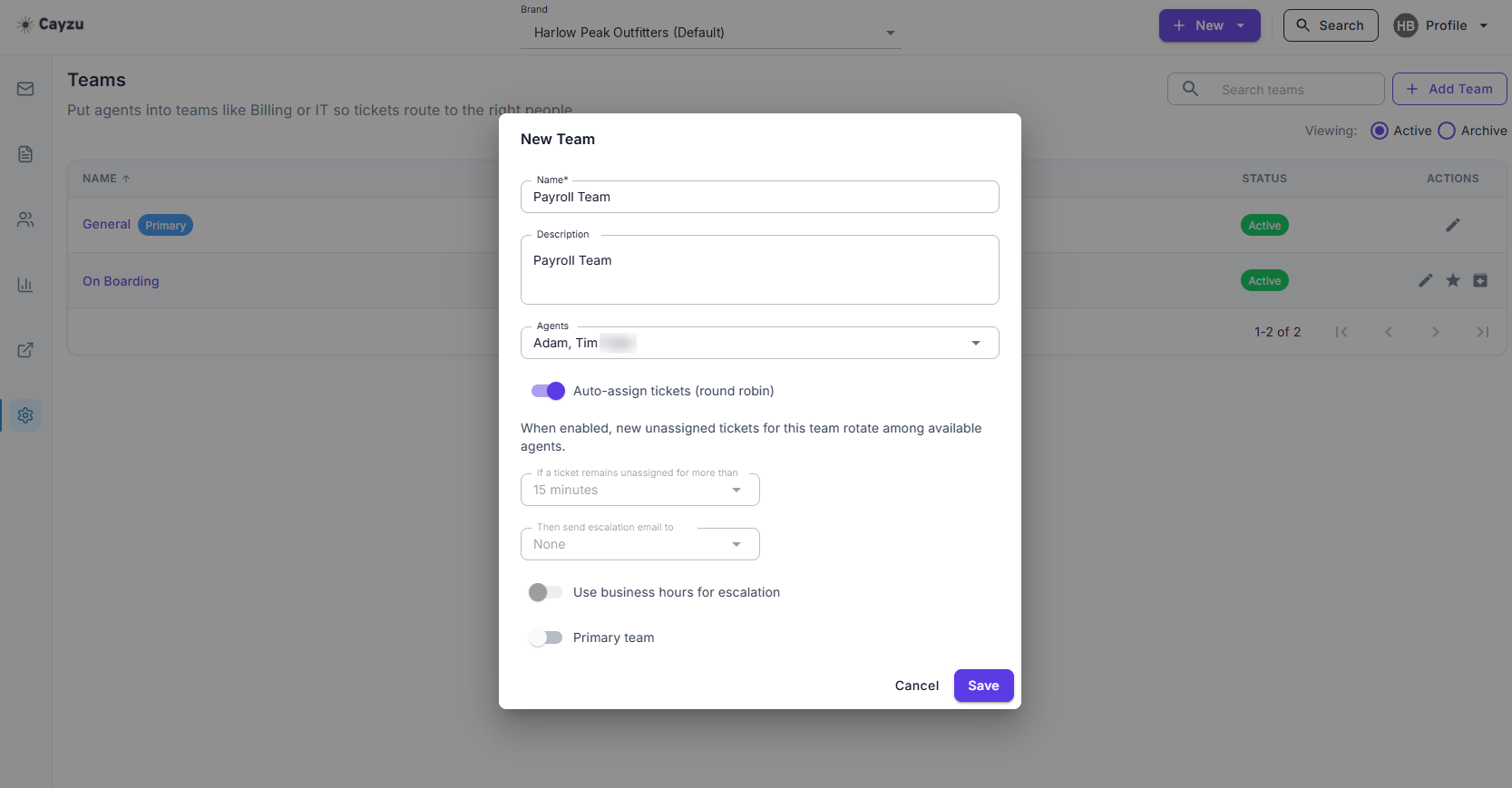
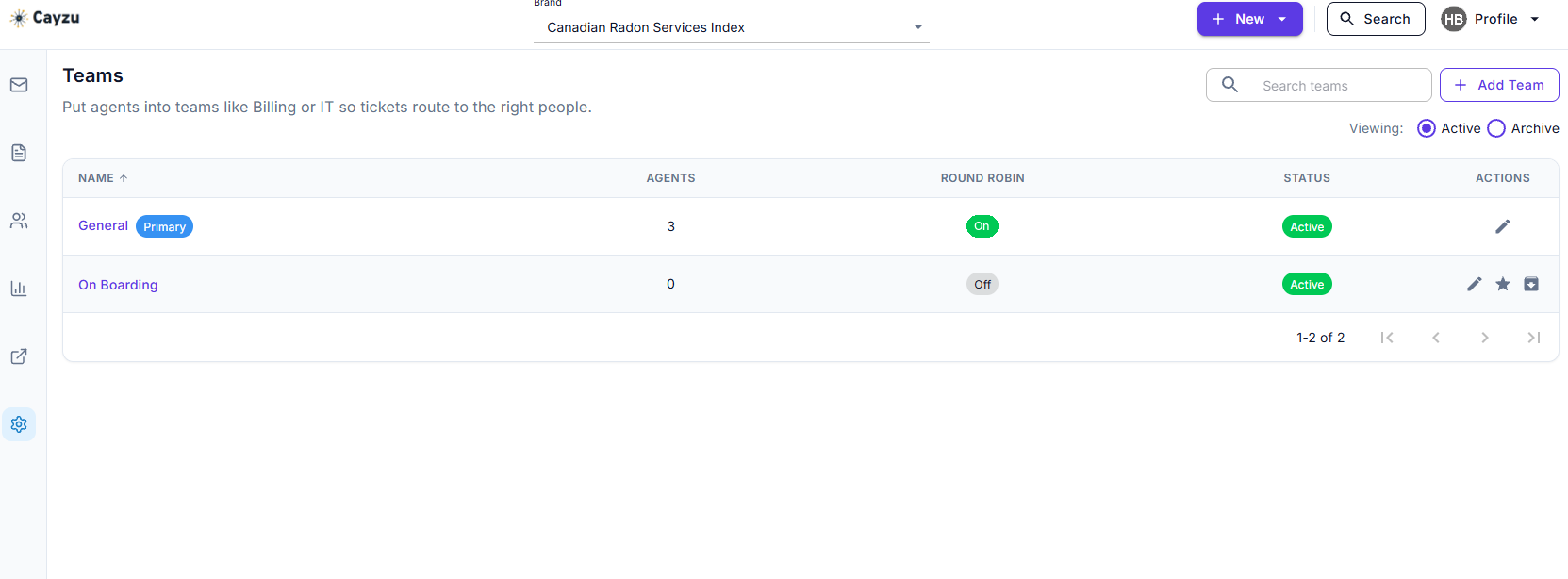
A team with round robin turned on, so new tickets are handed out in turn.
 Enterprise
Teams, with how many agents each has and whether round robin is on.
 Enterprise
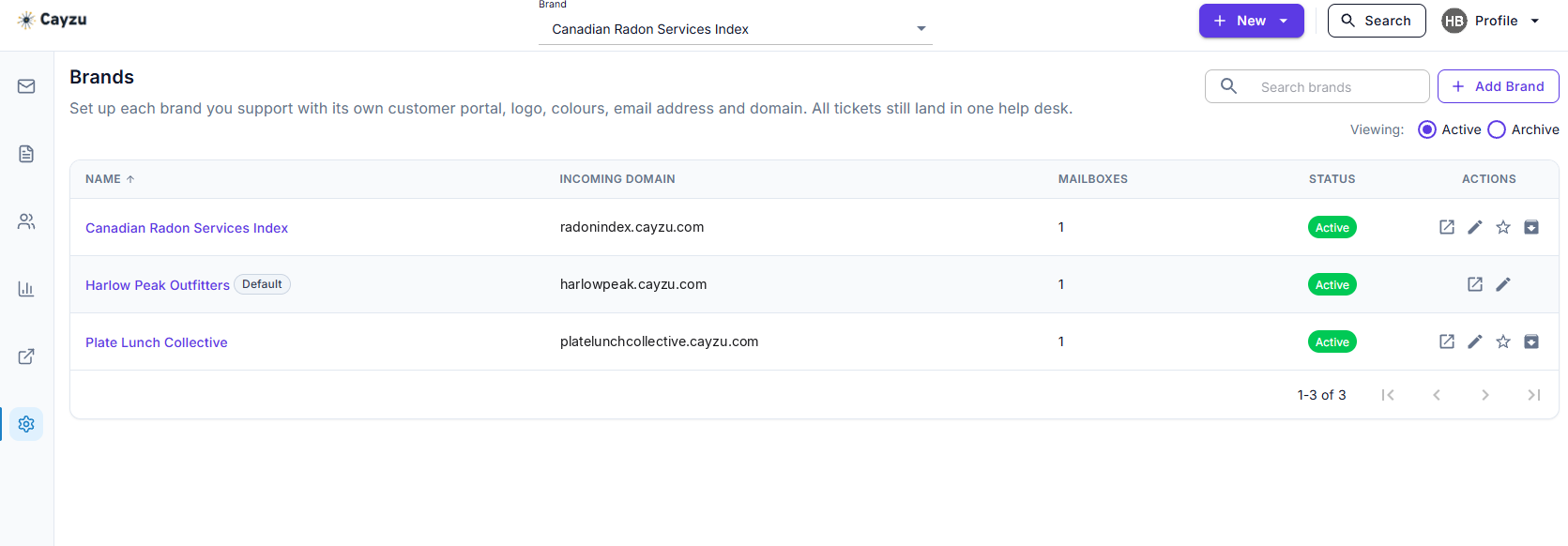
The brands screen: each brand with its own incoming address, its mailboxes and its status, all in one help desk.
 Enterprise
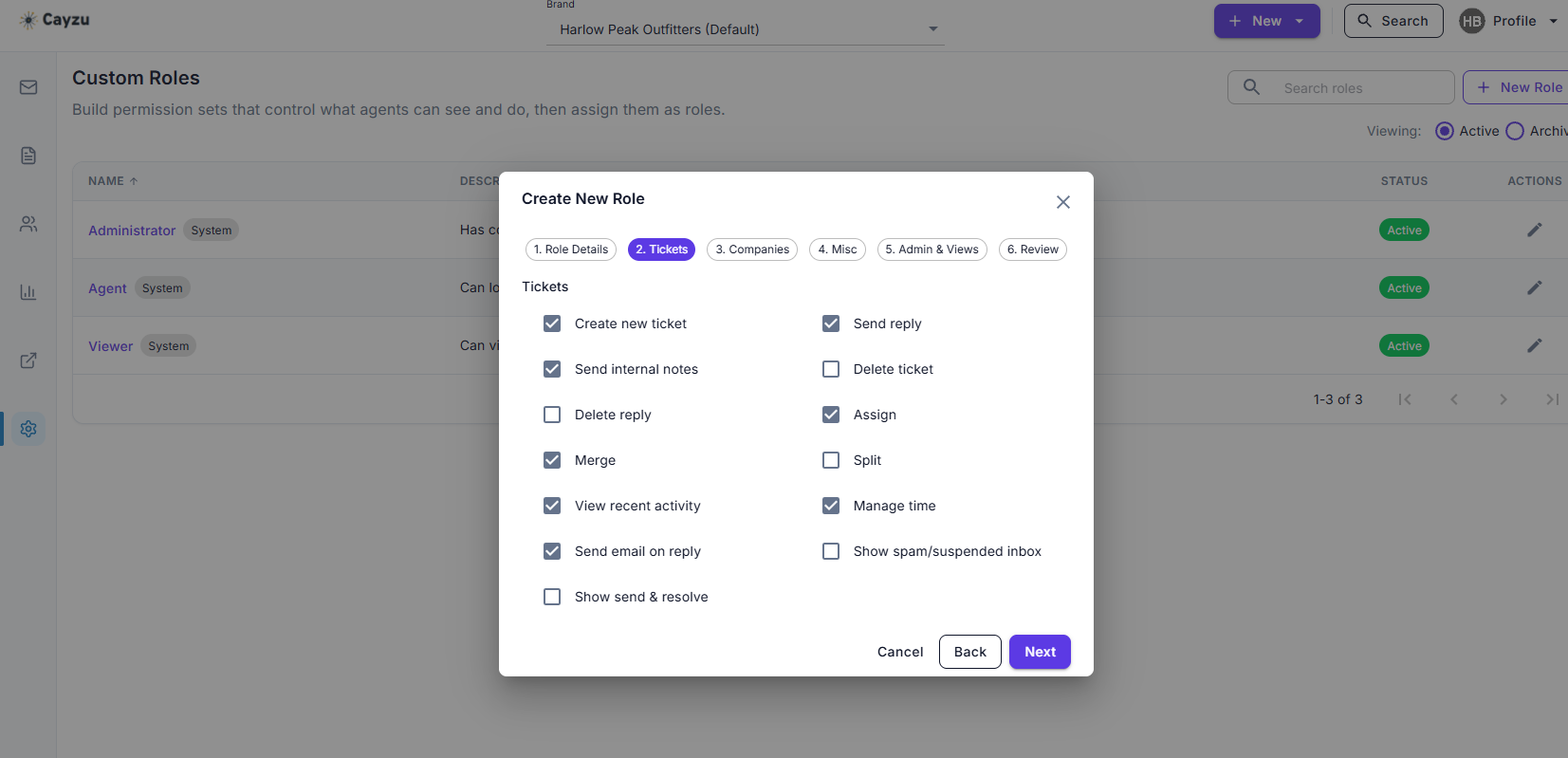
The Tickets step of the New Role wizard: checkboxes for what this role can do with tickets.
 Enterprise
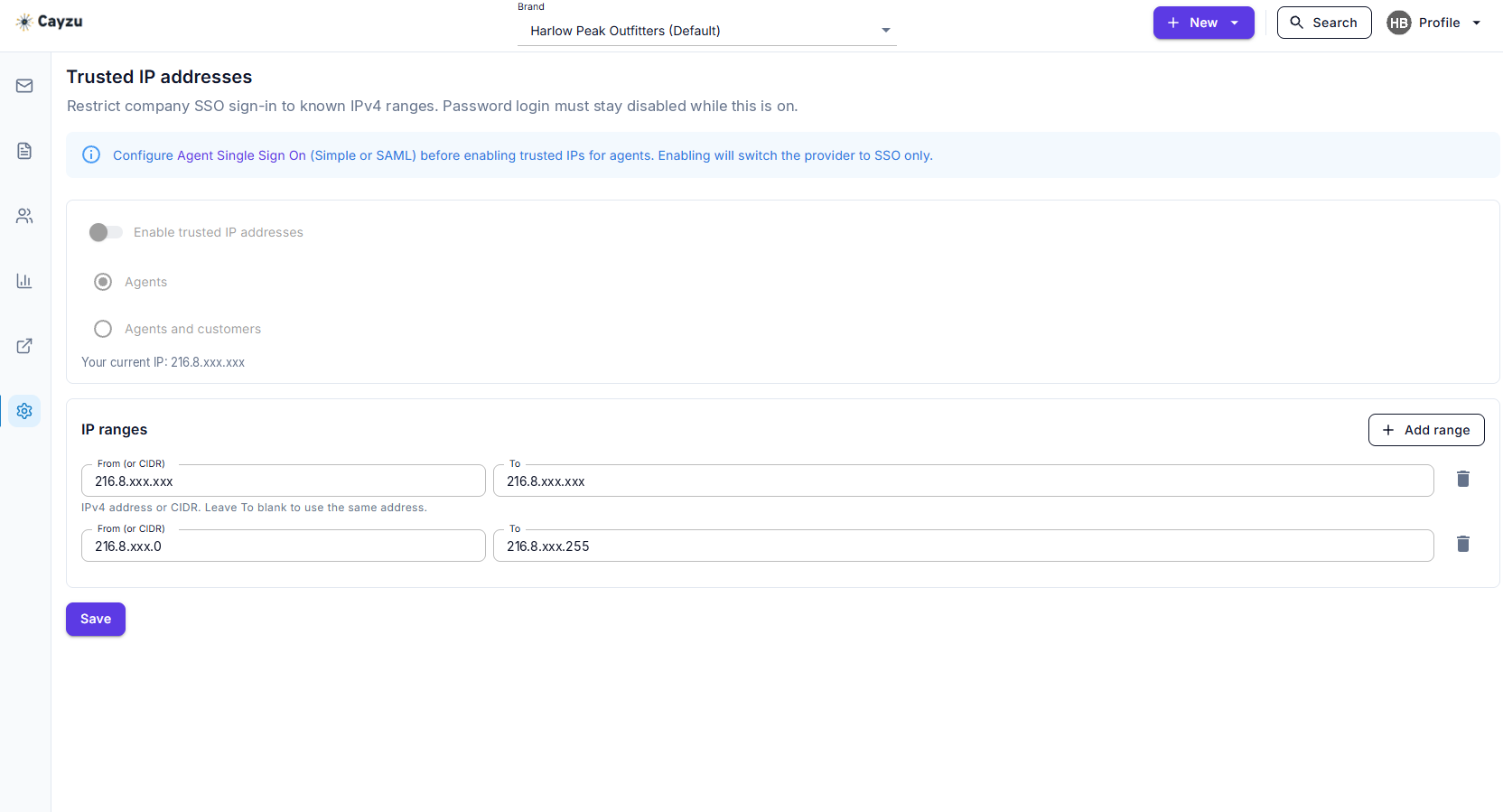
Trusted IPs: the address ranges agents can sign in from.
Email us at partners@cayzu.com and we'll help.
We use a few cookies to see how the site is used and to show you relevant ads elsewhere. Nothing is set until you say so. How we use them