A self-service portal with your name on the door
Customers want to check on a ticket without emailing to ask, and find the answer without waiting for one. Cayzu gives them a portal with your logo and colors, open all night.
What customers can do in the portal
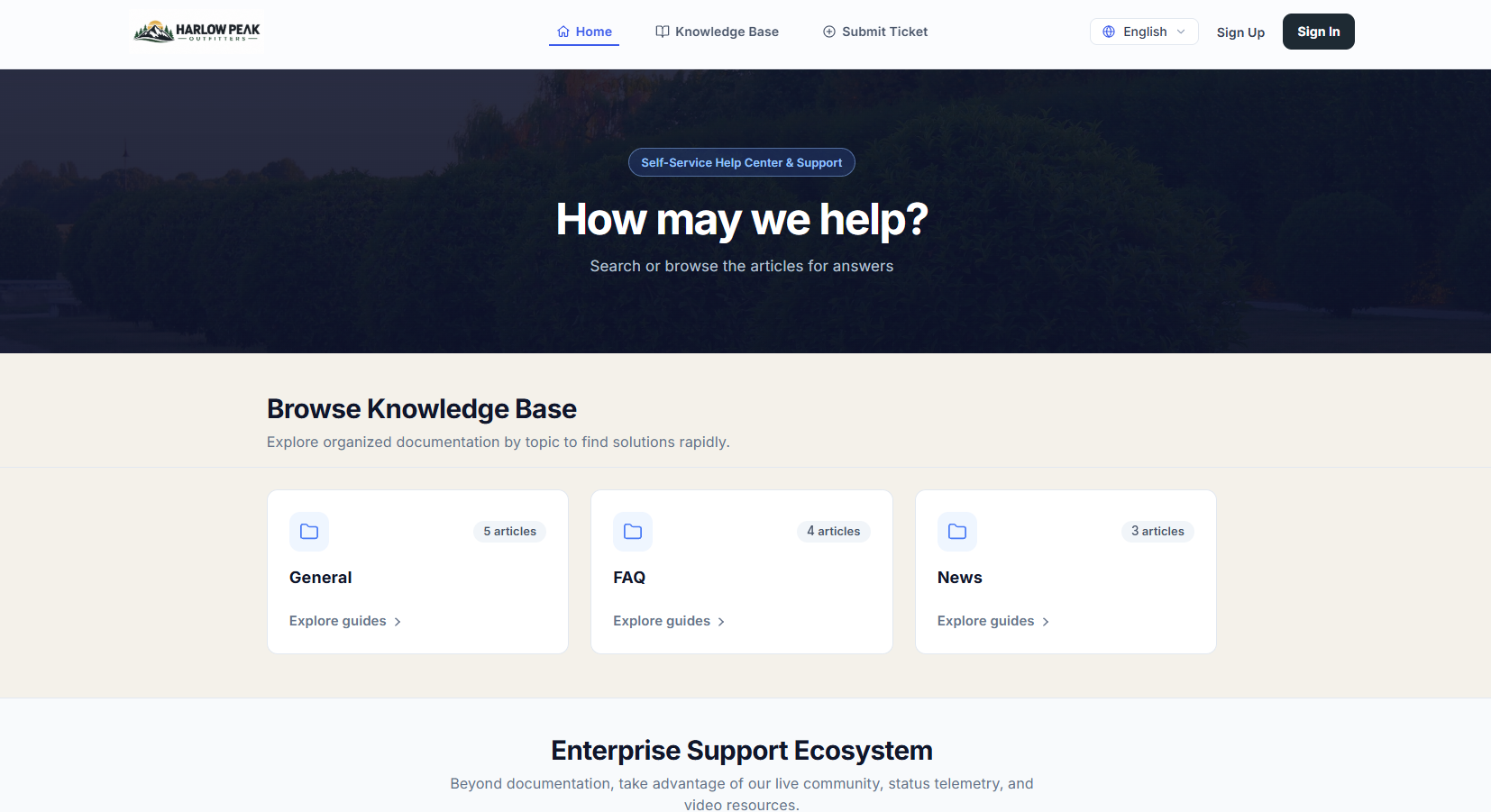
Customers can do five things in the portal. Search the knowledge base. Submit a ticket, with a form that asks the right questions for the problem. See every ticket you've sent and what's happened to it. Reply in the thread. Read the news you post. All of it is encrypted and under your logo. The same thing comes to your own website as a widget: search and a ticket form on the page people are already on.
Related features
- Custom brandingPut your logo and colors on the portal so it looks like part of your site. Your own domain is on every plan.
- Single sign-onCustomers sign in to the portal with a login they already have, so there's no new password to forget. Google and Facebook on every plan, your own login on Pro and Enterprise.
How the portal cuts status and how-to tickets
When customers can check a ticket's status in the portal, fewer "any update?" emails reach your team. A customer who finds the answer in search doesn't need to write in. The portal takes two common requests, status checks and the easy how-to questions, off the queue.
See it with your own tickets.
Every feature for 15 days. No credit card. No contract.
Setting up the portal
- Upload your logo and pick your colors on the branding screen.
- Point support.yourcompany.com at the portal.
- Paste the widget snippet on your site's help page and switch on single sign-on if your customers already have a login with you.
Which plan has the portal, and one limit
The portal, branding, your own domain, and Google and Facebook sign-in are on Standard. Single sign-on and custom ticket forms are on Pro. A portal per brand, each on its own domain, is on Enterprise. See the plans.
The portal has one limit: it's built from the branding settings rather than a custom theme. The articles behind it are the knowledge base; the branding options are on custom branding.
Questions people ask
Search the knowledge base, submit a ticket with the right form, see every ticket they've sent and where each one stands, and reply in the thread. All of it under your branding. On every plan, you can turn off the Cayzu name, so your customers only see yours.
Yes, on every plan. Your help desk starts at an address like yourcompany.cayzu.com, and custom domain mapping puts the portal at support.yourcompany.com, encrypted, with your logo, colors and URL.
Yes. Google and Facebook sign-in is on every plan. On Pro and Enterprise, single sign-on connects the portal to your own logins, so a customer, student or employee uses the account they already use with you.
No. Branding is a settings screen: upload the logo, pick the colors, point the domain. The widget for your own site is a snippet you paste.
Yes, on Enterprise. Each brand gets its own portal, with its knowledge base inside, and its own mailbox. Your team answers all of them from one console.
Try it with your own tickets
Every feature for 15 days. No credit card. No contract.