
Help desk features, and what each one does for you
A help desk is more than a queue. This is the whole of Cayzu in one place: what each part does, what it looks like, and which plan it's on. The queue comes first. Everything else helps keep it short.
The queue, and the rules that keep it short
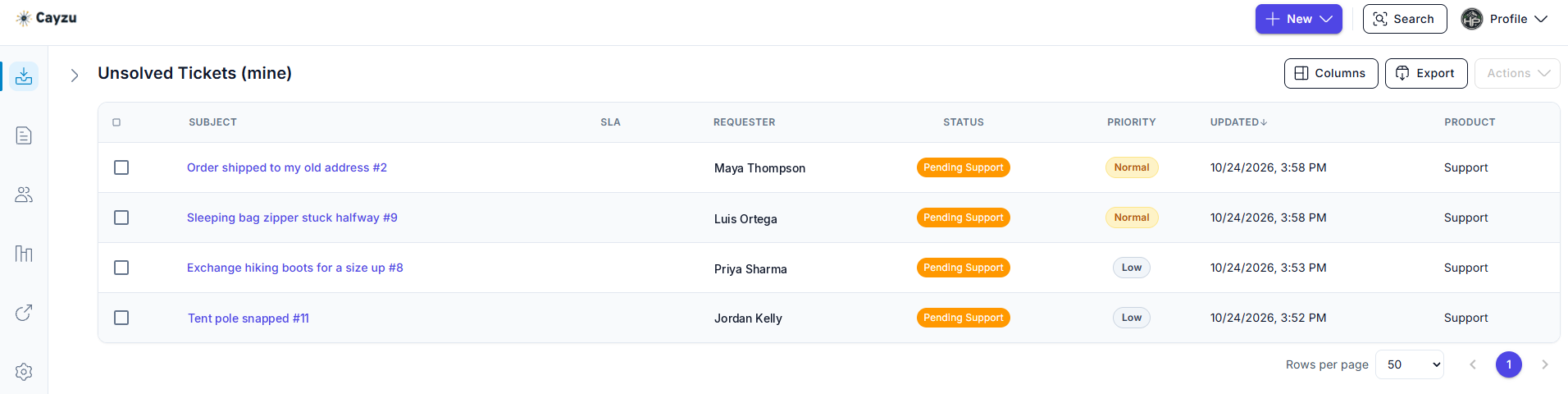
Every email, web form and portal message becomes a ticket with an owner, a status and a history. Automation rules do the sorting: if the subject says billing, send it to the billing group at high priority; if the customer hasn't replied in three days, close it with a note. Service level targets flag the tickets about to run late. Collision detection warns agents when someone else has the ticket open, and private notes keep the team's discussion out of the customer's view.
Related features
- Ticketing systemEvery email, form and portal message becomes a ticket with an owner, a status and the whole history.
- Automation rulesRules assign, tag and prioritize new tickets, and close the ones where the customer went quiet.
- SLAsSet response targets by priority and see the clock on every ticket, counting only business hours. On Pro and Enterprise.
Knowledge base and portal: answers people find themselves
A knowledge base holds the questions you answer every week, searchable from a branded portal and from a widget on your own site. Some people find the answer at midnight and never need to write in. Quick responses handle the ones that still arrive, in two clicks.
See it with your own tickets.
Every feature for 15 days. No credit card. No contract.
Reports and the Cayzu API
Reports show how long people wait, what's past due and what's coming due, and exports filter by date, brand, status, priority, team and type. CSAT surveys ask customers how the help went once a ticket is resolved, and the scores land in your reports. The Cayzu API lets your own software create tickets, pull ticket history and sync customer records.
Which plan has each help desk feature
Standard carries the queue, email, web forms and the widget, the portal with its knowledge base on your own domain, automation, collision detection and the Help Desk Load Analysis report. Pro adds multilingual content, the other reports and dashboards, CSAT surveys, SLAs, single sign-on, custom fields, multiple ticket forms and time tracking. Enterprise adds custom roles, a portal per brand on its own domain, custom ticket views, round robin, ticket dependencies and the IP allow list. The Cayzu API and MCP come with every plan, with usage limits that rise with the plan. See every feature by plan or the full catalog.
Three things to know before you compare: there's no built-in phone or chat, there are no ready-made app integrations at launch (they come shortly after launch), and the native mobile apps are in private beta rather than in the stores. To join the beta, email help@cayzu.com.
Questions people ask
A queue that turns every email and form into a ticket with an owner, rules that route and close tickets on their own, a knowledge base people search before they ask, a portal where they check on a ticket, and reports that show how long people wait. Cayzu has all five on one account.
Standard, at $19 per agent per month billed yearly, has the ticket queue, email, web forms and the widget, the branded portal with its knowledge base on your own domain, automation rules, collision detection and the Help Desk Load Analysis report. The other reports, SLAs, single sign-on and time tracking are on Pro.
Yes. Most teams forward one support address on day one and nothing else. The portal, knowledge base and rules are there when you want them, and switching them on takes minutes, not a project.
There's no built-in phone system or live chat, and no ready-made app integrations at launch (they come shortly after launch). SLAs are a Pro feature, and so is every report except Help Desk Load Analysis. The native mobile apps are in private beta and aren't in the app stores yet.
Try it with your own tickets
Every feature for 15 days. No credit card. No contract.