
Help desk software for call centers
You answer for other companies, so every client wants their own brand, their own inbox and their own numbers. Cayzu gives each client a branded portal, spreads the work across your agents and tracks the time you'll bill for. There's no built-in phone system, but an agent can attach a call recording or transcript to a ticket.
How tickets get assigned to your agents
Round robin hands new tickets to whoever's free, by group. Assignment rules send a client's billing questions to the agents trained on that account, and collision detection shows who else has a ticket open. Every client's queue is in one console, filtered by brand.
Help desk features for call centers
- Round robinNew tickets go to free agents in turn, by group, so no one agent gets buried. On Enterprise.
- Time trackingAgents run a timer on each ticket, and the time sheet totals it by agent, client and date. On Pro and Enterprise.
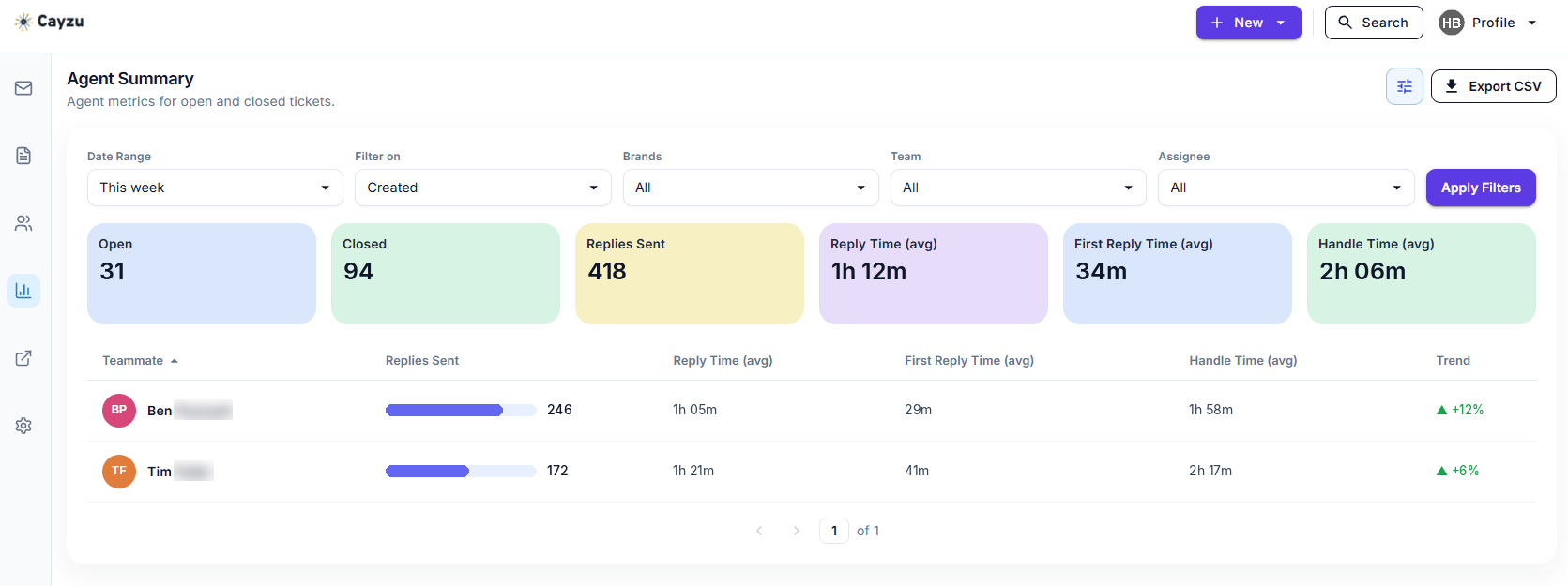
- Reports by clientFilter the agent dashboard by brand to see one client's replies, handle times and open tickets. On Pro and Enterprise.
Approved answers, shift notes and billable time
Quick responses hold each client's approved answers. Custom forms collect the account or order number before an agent picks up. Internal notes carry the context from one shift to the next, and the timer on each ticket feeds the time sheet you bill from.
See it with your own tickets.
Every feature for 15 days. No credit card. No contract.
Setting up Cayzu for your clients
- Create a brand per client with their logo, domain and mailbox.
- Put agents in groups by account and turn on round robin.
- Load each client's approved answers as quick responses and set their response targets.
Which plan fits a call center
The Help Desk Load Analysis report is on every plan. The other reports, SLAs and time tracking are on Pro; a brand per client, round robin and custom roles are on Enterprise. See the plans.
Running an HR or payroll queue for client employees instead of their customers? See HR help desk software. Supporting clients' IT rather than their customers? The MSP page is yours.
Questions people ask
Yes. Every client's tickets sit in one console, filtered by brand, and an agent switches between accounts without leaving the screen. The client's customers only ever see the client's brand.
Yes. Quick responses hold the approved answers for each client, custom forms collect the account number up front, and internal notes carry context from one shift to the next.
Yes. Agents start a timer on a ticket or log time afterward, and the time sheet totals it by agent, client and date, ready for the invoice.
Yes. Exports filter by brand, date, status, priority, team and type, so a client's monthly numbers come straight out. Schedule one monthly and it's emailed when it's ready.
Try it with your own tickets
Every feature for 15 days. No credit card. No contract.