
Time tracking: know where the support hours went, and bill for them
The hours you spend on a client's tickets are real, and at month end you can't prove it. Cayzu times the work on each ticket, marks it billable or not, and turns it into a time sheet you can invoice from.
A billable time sheet for each client
At month end, you get a time sheet by client, with every entry dated, named and flagged billable or not. When a customer questions the invoice, you open the ticket and show them the entries and the notes next to each one. The conversation gets short.
For teams that don't bill, the same numbers answer a different question: which clients, departments or ticket types eat the hours. That's the number you need before you hire, raise a price, or write a knowledge base article to make a repeat problem go away.
Related features
- MSP help deskSee how an MSP bills each client from the time sheet and spots the clients that take the most hours.
- SLAsThe response target and the time spent sit on one ticket, so you see the promise and the cost. On Pro and Enterprise.
- Internal notesLog what the time was spent on as a private note, and the invoice line explains itself.
How the timer works
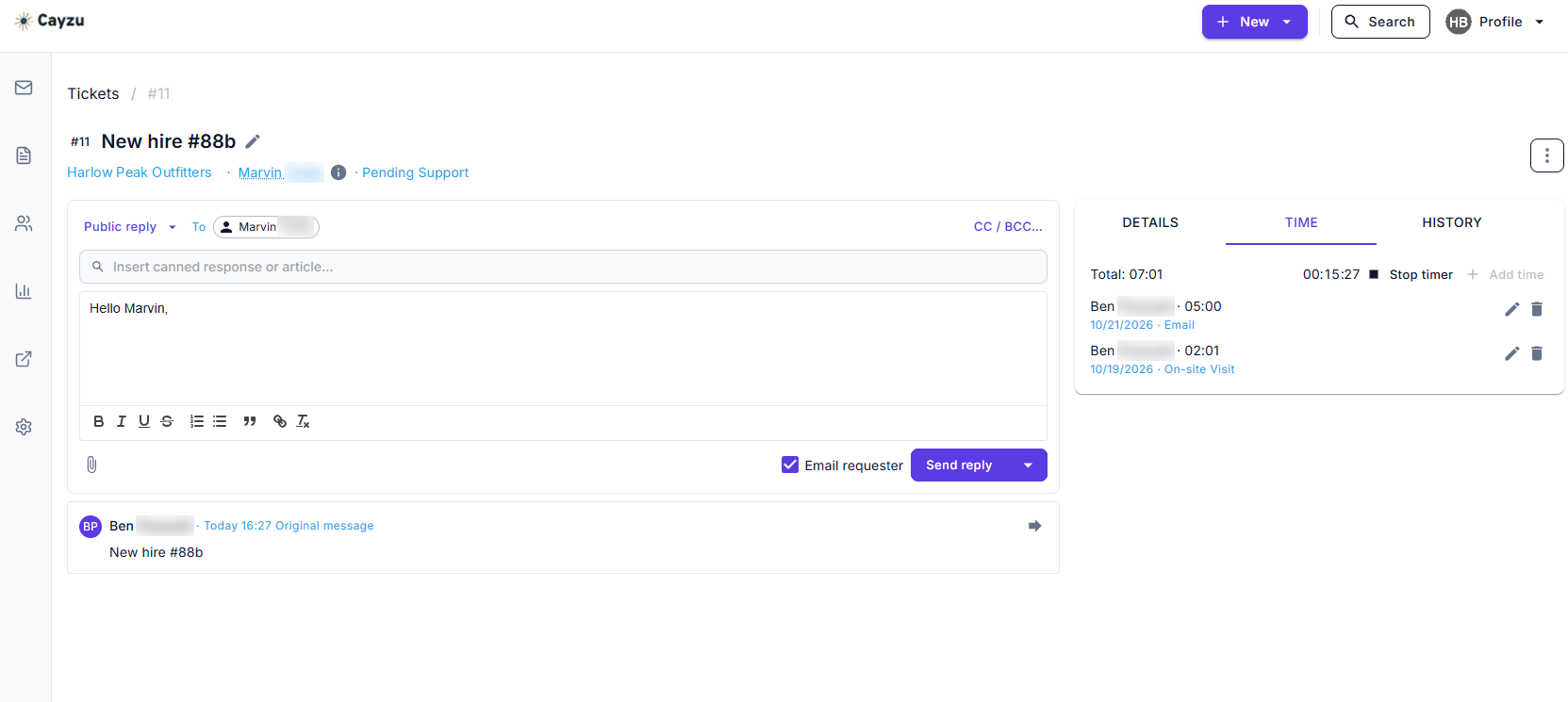
Every ticket has a timer in the side panel. Start it when you pick the ticket up and stop it when you put it down, and the entry saves against the ticket with your name. Forgot? Add the time by hand. Prefer not to think about it? Set the timer to start when you open a ticket and stop when you leave it.
Each entry can carry a short note on what the time was for and a billable flag. The flag is what separates "two hours fixing their printer" from "twenty minutes answering a question we cover for free", so the invoice is right without anyone sorting it by hand later.
See it with your own tickets.
Every feature for 15 days. No credit card. No contract.
Setting up time tracking
- Decide whether agents start the timer themselves or it runs automatically. For a mixed team, we'd pick automatic.
- Agree what counts as billable and write it down once.
- Pull the time sheet at the end of the first week and check it against what people remember. Adjust.
Which plan has time tracking, and two limits
Time tracking is on Pro and Enterprise. See the plans.
Time tracking has two limits. Cayzu makes the time sheet; it doesn't make the invoice, so the time sheet goes into your accounting tool or a spreadsheet. And the automatic timer measures time with the ticket open, which is close to effort but not the same thing, so let agents correct entries. If you need invoicing built in, read whether an MSP needs a PSA.
Related: reports, the MSP help desk page, and SLAs.
Questions people ask
Each ticket has a timer. Start it when you begin, stop it when you're done, and the entry is saved on the ticket with the agent's name. You can also type a time in by hand after the fact, and mark each entry billable or not.
Yes. Set it to start when an agent opens a ticket and stop when they leave it, so nobody has to remember. Entries can be edited afterwards if someone left a ticket open over lunch.
The time sheet report lists entries by company, agent and date, with the billable flag. You can pull it monthly and invoice from it, or send it to your accounting tool.
Yes. The timer doesn't care who the requester is. Internal teams use it to show how many hours went to each department or type of request.
Pro and Enterprise. Time tracking and the time sheet aren't on Standard.
Try it with your own tickets
Every feature for 15 days. No credit card. No contract.