Agent collision detection: two agents, one ticket, one answer
The worst reply a customer can get is two of them, saying different things. Cayzu shows you who else has a ticket open, and whether they're typing, before you hit send.
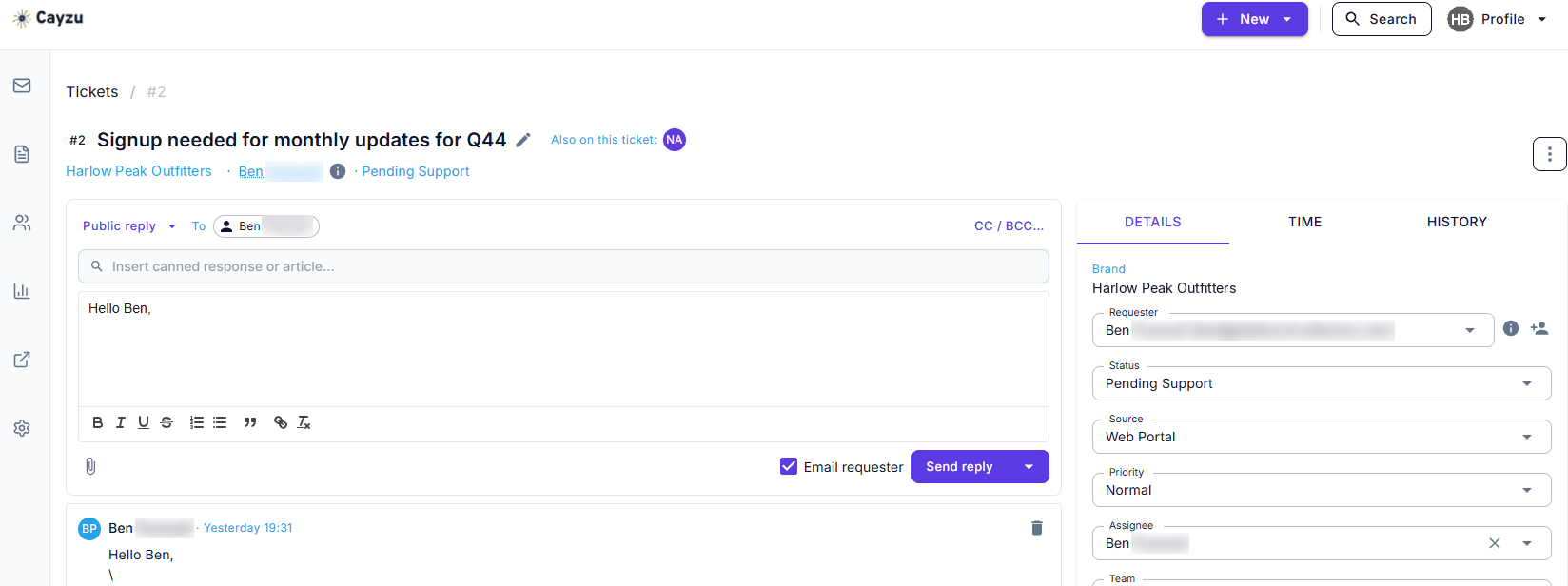
The collision banner: who else has this ticket open
Open a ticket and a strip at the top names every other agent who has it open. If one of them has started a reply, the strip says so. A glance tells you whether to write, to wait, or to leave a private note and move on to the next ticket.
Related features
- Internal notesLeave the other agent a private note on the ticket instead of a second reply to the customer.
- Round robinGive every new ticket one owner the moment it arrives, so nobody has to guess whose it is. On Enterprise.
- Merge ticketsWhen the same customer writes in twice, merge the two tickets so there's one place to answer.
Why collision detection matters on a shared queue
On a team of three, everyone watches the whole queue. A ticket with no owner yet is fair game, and two people grabbing it at once is the normal case, not the rare one. Collision detection warns people off the double reply with nothing to set up, and it doesn't slow anyone down. Nobody has to claim tickets by hand or ask in chat who's got it.
Larger teams tend to lean on assignment rules and round robin to give each ticket an owner first. The banner still catches the cases rules miss: an escalation, a manager stepping in, a reopened ticket.
See it with your own tickets.
Every feature for 15 days. No credit card. No contract.
Setting up collision detection
- There's nothing to turn on. Collision detection is part of the ticket screen for every agent.
- Decide what agents do when they see the banner, and agree on one simple habit, such as "leave an internal note, don't reply".
- Add an assignment rule or round robin for the queues where collisions keep happening, so tickets arrive with an owner.
Collision detection on every plan, and its limits
Collision detection is on every plan. Plans and prices are on the pricing page.
The banner has two limits. It warns; it doesn't lock the ticket, so a determined second reply still goes out. And it works per ticket, so if the same customer wrote in twice, two agents can answer the two tickets without ever seeing a banner. Merging the duplicates is the fix for that one.
Related: internal notes, assignment rules, and the ticket queue.
Questions people ask
It's a banner on the ticket that tells you another agent is looking at it right now, and a second one that says they've started typing a reply. You see it before you write, not after the customer has two answers.
No. It warns, it doesn't block. Both agents can still reply if they choose to, so the banner is a nudge to leave a note or step back, not a gate.
Assignment says who owns a ticket. Collision detection covers the moments ownership doesn't: a manager peeking in, a colleague helping out, a ticket nobody has claimed yet. The two work best together.
Both replies go to the customer as separate emails. The fix is a quick follow-up from one agent, then an assignment rule or round robin so the ticket has one owner next time.
Every plan, Standard included, and the free trial too.
Try it with your own tickets
Every feature for 15 days. No credit card. No contract.