
Quick responses: answer the common question in two clicks
Password resets, invoice copies, "where's my order": a handful of questions come up again and again. Quick responses let your agents send a saved answer in two clicks and spend their typing on the hard tickets.
How canned responses save time and keep answers consistent
A quick response takes seconds to pick and personalize. Typing the same answer fresh takes minutes, and on a busy day those minutes add up.
Quick responses also keep your answers consistent. When two agents explain the refund policy, they explain it the same way, because they're sending the same words. New agents answer correctly from their first day, and when the policy changes you edit one saved reply instead of retraining the team.
Related features
- Knowledge baseTurn your most-used quick response into an article, and the next customer finds it before they write in.
- Automation rulesAn auto-reply rule tells the customer their message arrived, so you save quick responses for the answer itself.
- Email signaturesEach mailbox adds its own signature with the agent's name, so a quick response never ends with a generic sign-off.
How agents use quick responses
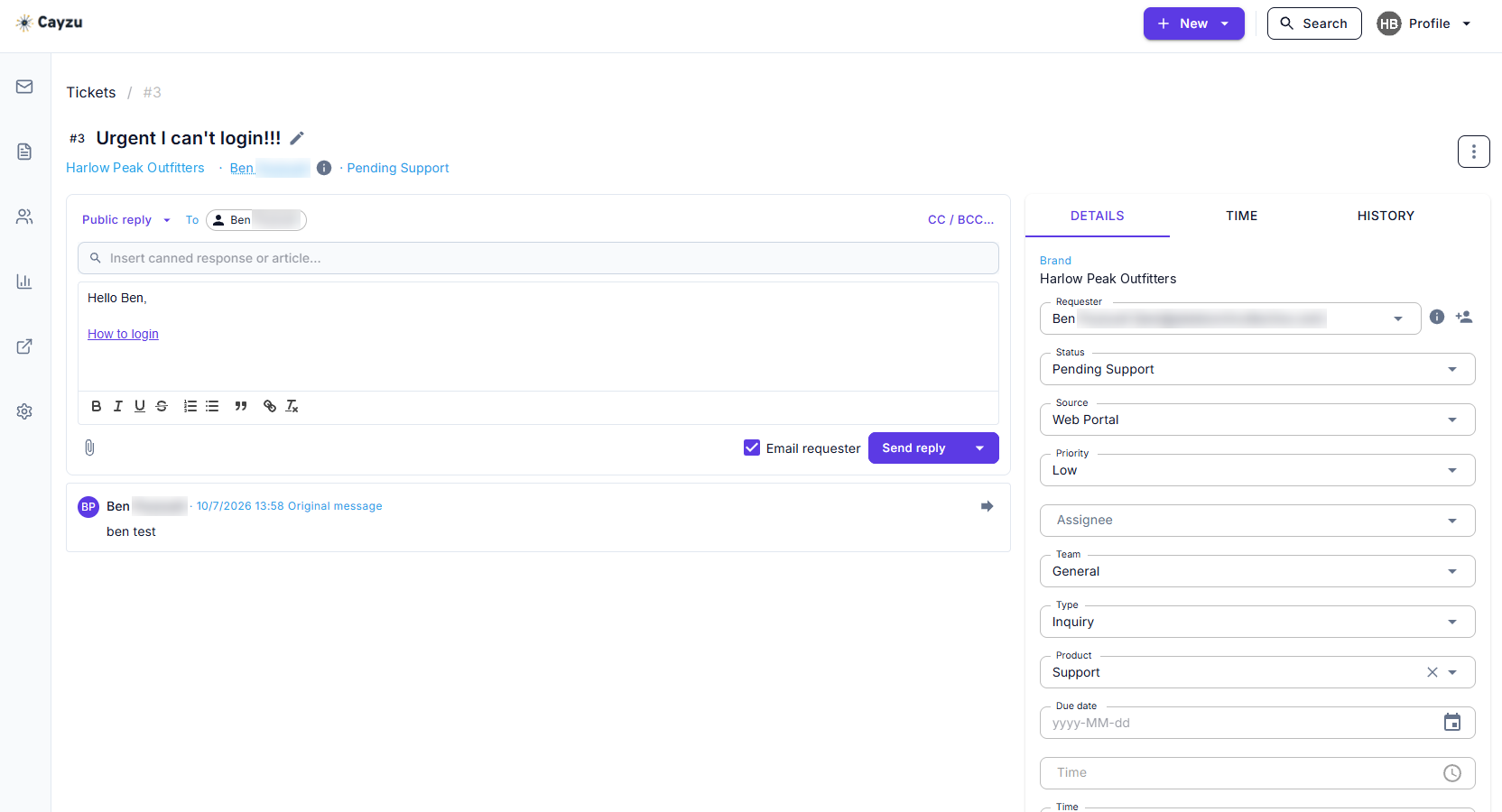
In the reply box there's a picker. Choose a quick response by name and its text drops in. Add the customer's name, trim what doesn't apply, and send. The agent's signature goes on by itself. We'd keep the list short, twenty or thirty responses with plain names like "Password reset" and "Need a screenshot", so the picker stays quick.
Anything you find yourself saving as a quick response is also a candidate for the knowledge base. The quick response answers the ticket; the article stops the next ticket.
See it with your own tickets.
Every feature for 15 days. No credit card. No contract.
Setting up quick responses
- Pull your sent folder and find the five replies you've sent most this month.
- Save each one as a quick response with a short name and no customer details in it.
- Add one a week as new patterns show up, and retire the ones nobody uses.
Which plan has quick responses, and their limits
Quick responses are on every plan. Plan details are on the pricing page.
Quick responses have two limits. A quick response is text, not a workflow, so it won't change the ticket's status or tags on its own; an automation rule does that. And they're shared across the team rather than private per agent, which is the point, but it means the list needs an owner who keeps it tidy.
Related: the ticket queue, the knowledge base, and email signatures and mailboxes.
Questions people ask
A saved reply an agent can drop into a ticket instead of typing it fresh. Cayzu calls them quick responses. You write the answer once, give it a name, and anyone on the team can use it.
Yes. It lands in the reply box as text, so you add the customer's name, change a detail or delete a line before it goes out.
Only if you send them unchanged. The habit that works is one personal sentence at the top, then the saved steps underneath. The steps are the part that has to be right every time.
A first acknowledgment, password reset steps, how to find an invoice, a request for a screenshot or the device being used, a closing note that asks if the problem is solved, and a polite reply for things you don't support.
Every plan. They're part of the ticket reply box on Standard, Pro and Enterprise.
Try it with your own tickets
Every feature for 15 days. No credit card. No contract.