
Agent groups: send the ticket to billing, not to Dave
Assigning tickets to a person breaks the day that person is off. Cayzu groups let you route to a team, and whoever is on shift in that team picks it up.
Sending tickets to a team, not a person
Routing stops depending on who's in. A refund question goes to billing; if the usual billing person is at lunch, the other one sees it. Managers see a queue per group, so "how is tech doing today" is one click instead of a tally of five people's lists.
Groups also make the rest of the automation simple. An assignment rule sends by group, round robin rotates within a group, and exports filter by team, so the way you organize people is the way the tool thinks too.
Related features
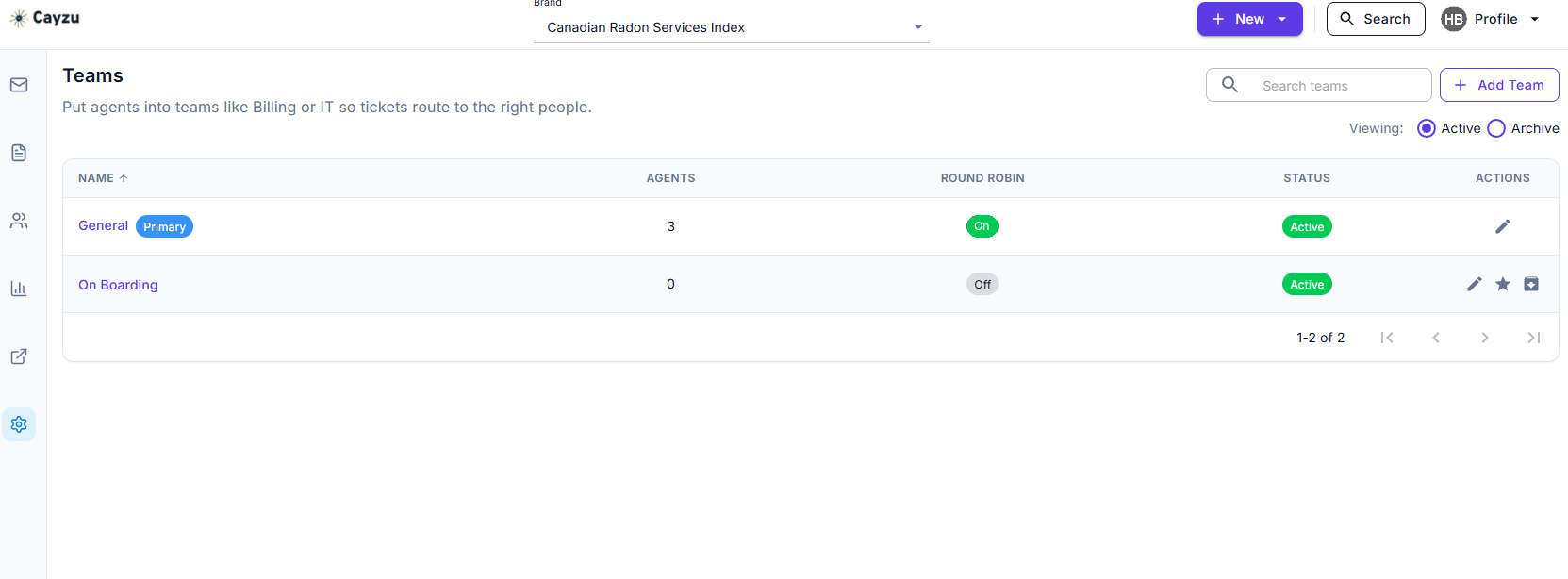
- Round robinTurn it on for a group, and new tickets go to its members in turn instead of waiting to be claimed. On Enterprise.
- Assignment rulesA rule that reads the mailbox or subject sends the ticket to the right group on arrival.
- Custom agent rolesGroups say who gets the work. Roles say what each person is allowed to do with it. On Enterprise.
Which groups to make, and how tickets reach them
A good start for a small team is three or four groups: first-line, tech, billing, and one for whatever is specific to the business (returns, onboarding, facilities). Each group has members, and a rule can send a mailbox's tickets straight to it, so support@ feeds first-line and billing@ feeds billing. A school might make one each for IT, facilities and the office; see help desk software for schools.
Then route. A ticket can be assigned to a group, to an agent, or to both. Agents in a group see its unassigned tickets and take them; a manager can hand one straight to a person; and a rule can do either on arrival.
See it with your own tickets.
Every feature for 15 days. No credit card. No contract.
Setting up agent groups
- Write down how work is split today, even if it's informal. Those are your groups.
- Create them, add members, and write a rule sending each mailbox to its group.
- Add a rule for the tickets that come through the general address but belong somewhere specific.
Which plan has agent groups, and two limits
Groups are on every plan, starting with Standard. See prices.
Groups have two limits. A group isn't a permission boundary by default: an agent in billing can still open a tech ticket. On every plan, the ticket access scope setting can limit an agent to their own groups' tickets, and roles on Enterprise give finer control. And a ticket assigned to a group with nobody taking it just sits there, which is what round robin is for.
Related: round robin, multiple mailboxes, and the ticket queue.
Questions people ask
A named set of agents, like billing or second-line tech, that tickets can be assigned to as a unit. Anyone in the group sees the group's tickets and can take one.
Yes. A small team usually has people in two or three groups. Someone can be in first-line support and also in billing.
Three ways: an assignment rule sends them by subject, sender, mailbox or form answer; an agent moves a ticket to the group by hand; or a rule on the mailbox sends everything from that address to the group.
You choose. Notifications can go to the group, to the assigned agent, or both. A good setup is to notify the group for new tickets and the agent once it's taken.
Every plan. Groups come with Standard; round robin inside a group is on Enterprise.
Try it with your own tickets
Every feature for 15 days. No credit card. No contract.